Unlock a world of possibilities! Login now and discover the exclusive benefits awaiting you.

- Qlik Community
- :
- All Forums
- :
- Qlik NPrinting
- :
- Re: Email recipient filter
- Subscribe to RSS Feed
- Mark Topic as New
- Mark Topic as Read
- Float this Topic for Current User
- Bookmark
- Subscribe
- Mute
- Printer Friendly Page

 salto
salto
- Mark as New
- Bookmark
- Subscribe
- Mute
- Subscribe to RSS Feed
- Permalink
- Report Inappropriate Content
Email recipient filter
Good morning,
I have a simple QlikView table that I send to the members of a department via email in Excel format.
Every recipient in NPrinting has a filter enabled with his / her name, so the recipient only gets the rows in which his / her name appears.
This works fine for those recipients whose name effectively appears in the table. But one of the recipients (Richard), who has the Name='Richard' filter enabled, has no rows in the table. The undesired result is that Richard receives the whole table (no filter!)
How should I proceed so Richard receives an empty Excel file?
Many thanks in advance!
- Tags:
- recipient filter
Accepted Solutions

- Mark as New
- Bookmark
- Subscribe
- Mute
- Subscribe to RSS Feed
- Permalink
- Report Inappropriate Content
When you are adding your filter, there is a check box called verify that you can specify so that filters with no records will not get sent a report or will get a blank report
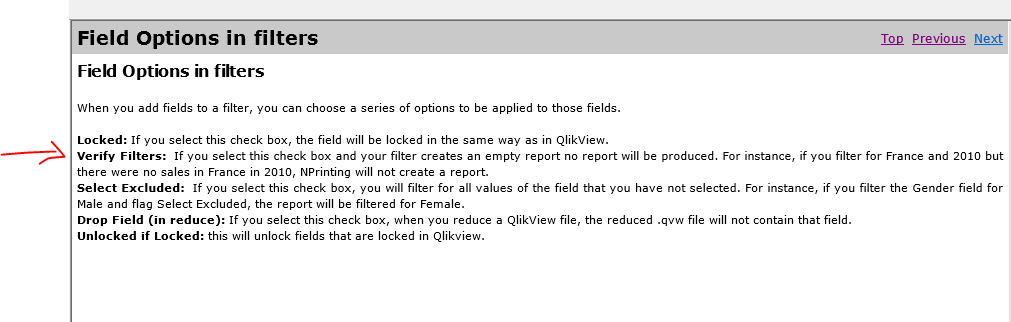
Top of the morning to you too.
- Mark as New
- Bookmark
- Subscribe
- Mute
- Subscribe to RSS Feed
- Permalink
- Report Inappropriate Content
When you are adding your filter, there is a check box called verify that you can specify so that filters with no records will not get sent a report or will get a blank report
Top of the morning to you too.