Unlock a world of possibilities! Login now and discover the exclusive benefits awaiting you.

- Qlik Community
- :
- All Forums
- :
- QlikView
- :
- Re: Access Portal Not Load
- Subscribe to RSS Feed
- Mark Topic as New
- Mark Topic as Read
- Float this Topic for Current User
- Bookmark
- Subscribe
- Mute
- Printer Friendly Page

 ryanfoster84
- Mark as New
- Bookmark
- Subscribe
- Mute
- Subscribe to RSS Feed
- Permalink
- Report Inappropriate Content
Access Portal Not Load
Hi,
Currently building our our dev environment and running through IIS but the access portal is currently just sitting at spinning wheel
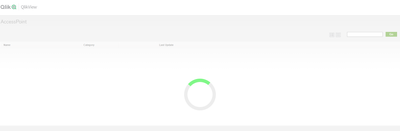
All services are running and the qlikview iis is running using the service account used for the qlikview services.
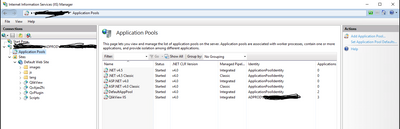
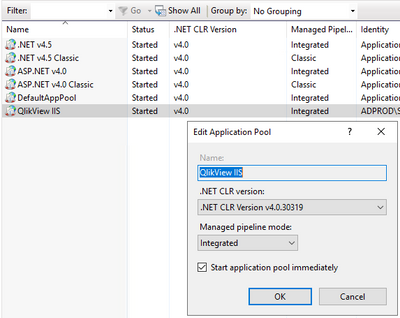
Clustered environment we are running and using Windows 2019 servers with Qlikview 2021 SR2 release.
Accepted Solutions
ryanfoster84
- Mark as New
- Bookmark
- Subscribe
- Mute
- Subscribe to RSS Feed
- Permalink
- Report Inappropriate Content
Decided against going IIS route and just using build in qlikview web server. All working as expected now

 Ray_Strother
- Mark as New
- Bookmark
- Subscribe
- Mute
- Subscribe to RSS Feed
- Permalink
- Report Inappropriate Content
Please review the following link make sure the IIS components required by Qlikview were installed prior to the installation of Qlikview. If not uninstall Qlikview and update the required component listed in the link below.
Article link:
https://community.qlik.com/t5/Knowledge/How-to-configure-QlikView-and-IIS/ta-p/1711334

.png "Former Employee") Albert_Candelar
Albert_Candelar- Mark as New
- Bookmark
- Subscribe
- Mute
- Subscribe to RSS Feed
- Permalink
- Report Inappropriate Content
Hello @ryanfoster84 ,
As pointed by @Ray_Strother , kindly review the documentation to ensure all the features are enabled. Also ensure the authentication methods are set up properly.
Let us know how it goes!
Cheers,
Albert
ryanfoster84
- Mark as New
- Bookmark
- Subscribe
- Mute
- Subscribe to RSS Feed
- Permalink
- Report Inappropriate Content
Decided against going IIS route and just using build in qlikview web server. All working as expected now
