Unlock a world of possibilities! Login now and discover the exclusive benefits awaiting you.

- Qlik Community
- :
- All Forums
- :
- QlikView
- :
- Re: Qlikmaps Extension
- Subscribe to RSS Feed
- Mark Topic as New
- Mark Topic as Read
- Float this Topic for Current User
- Bookmark
- Subscribe
- Mute
- Printer Friendly Page

 shiveshsingh
- Mark as New
- Bookmark
- Subscribe
- Mute
- Subscribe to RSS Feed
- Permalink
- Report Inappropriate Content
Qlikmaps Extension
I have Qlikmaps2.2.1 extension installed in accesspoint server.
Issue :- I can see the maps when i logged-in in one system through my credentials to that accesspoint but when i log-in to other system to that access point , maps are not displayed, i'm getting a big box only. Is there any system specific settings for maps visibility?
- « Previous Replies
-
- 1
- 2
- Next Replies »
shiveshsingh
- Mark as New
- Bookmark
- Subscribe
- Mute
- Subscribe to RSS Feed
- Permalink
- Report Inappropriate Content
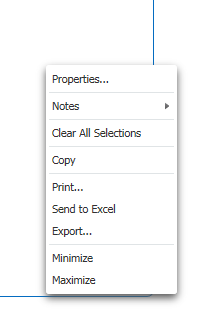 \
\
please find screenshot for accesspoint

 Clever_Anjos
- Mark as New
- Bookmark
- Subscribe
- Mute
- Subscribe to RSS Feed
- Permalink
- Report Inappropriate Content
It seems you´re using the Ajax client
shiveshsingh
- Mark as New
- Bookmark
- Subscribe
- Mute
- Subscribe to RSS Feed
- Permalink
- Report Inappropriate Content
Still maps are not displayed on my system, only a box is coming.
what could be reason behind this?
Clever_Anjos
- Mark as New
- Bookmark
- Subscribe
- Mute
- Subscribe to RSS Feed
- Permalink
- Report Inappropriate Content
Did you test using another browser?
shiveshsingh
- Mark as New
- Bookmark
- Subscribe
- Mute
- Subscribe to RSS Feed
- Permalink
- Report Inappropriate Content
yes, chrome ver 60. It is not coming
Clever_Anjos
- Mark as New
- Bookmark
- Subscribe
- Mute
- Subscribe to RSS Feed
- Permalink
- Report Inappropriate Content
I would bet into any network or firewall or proxy blocking

 paulodantas
- Mark as New
- Bookmark
- Subscribe
- Mute
- Subscribe to RSS Feed
- Permalink
- Report Inappropriate Content
Hi cuv and shiveshsingh
I have the same problem here.
I unlocked the url:
and continuous having the issue.
The browser is the same, IE 11 and I can't use another one because it's Citrix environment controlled by the network team. I believe the problem isn't the browser, because I opened in my machine. Must probably is the proxy, but I used the url above. Any other url is it necessary?
The weird is do not appear any kind of error using the Developer Tools.
Any other solution?

- « Previous Replies
-
- 1
- 2
- Next Replies »