Challenge in Qlik Sense SaaS
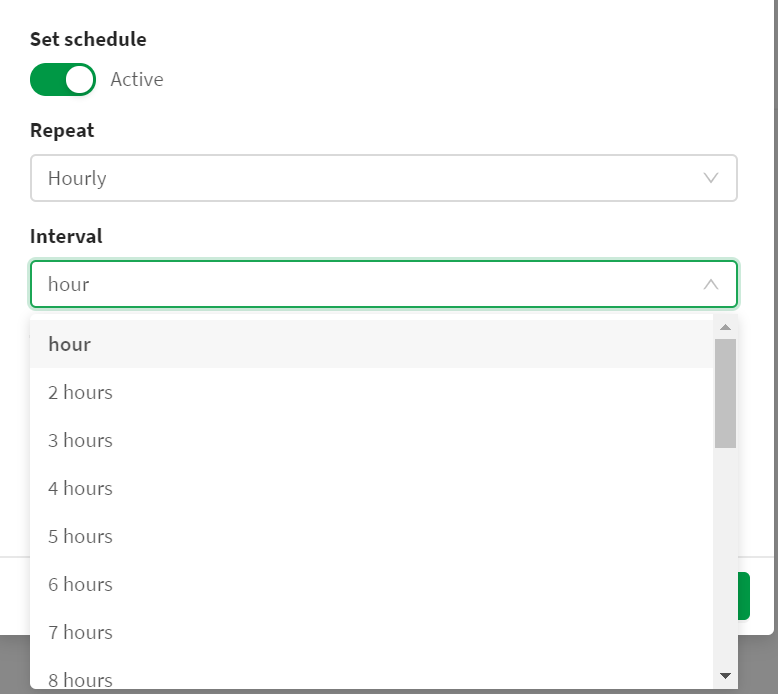
In Qlik Sense SaaS, we can only select 'hourly' as smallest refresh schedule for an App. Not every 30 minutes. Not every 10 minutes. See attached screenshot.
Description of idea
To have the possibility to set the reload schedule for an app as "every X minutes".
This functionality was available in QlikView QMC. Not anymore in Qlik Sense SaaS.
Value proposition
Some apps are looked at multiple times a day by end users, e.g. apps that display *today's* sale performance for online shops. An hourly refresh is not frequent enough to detect possible issues early, during the day. Or to do daily management activities. The users would require the sales data to flow in Qlik app every 30 minutes to have a good grip on their business.
Additional context
If this feature would risk taking too much Cloud CPU/Memory, then the Qlik SaaS could 'assess' the resources required for the app reload first. If an app would reload very quickly, then Qlik SaaS should allow for a refresh schedule "every X minutes". If not, then the option would be greyed out and user first needs to optimize the app.