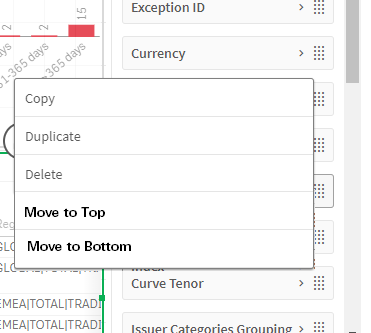
When adding a dimension or measure to a chart, the item gets added to the end. If there are a lot of items and your intent was for it to be at the beginning of the table it is time consuming and annoying to have to move it by dragging it up a screen at a time (if that) to get it to the top, only to repeat the same steps for each new fied or group of fields you want to move around on your table.
My idea is to add a couple options on the right click menu that appears when you right click on a field to allow you to quickly move an item to the top or bottom. Even nicer would be an option that would allow you to select one or more items to move to top or bottom OR ,optionally, to specify where in the list to move your selection to.
Key Words: Editor, Move to Top, Move to Bottom, Move to Beginning, Move to End