Unlock a world of possibilities! Login now and discover the exclusive benefits awaiting you.

- Qlik Community
- :
- Forums
- :
- Analytics & AI
- :
- Products & Topics
- :
- Visualization and Usability
- :
- Assets Panel not Visible
- Subscribe to RSS Feed
- Mark Topic as New
- Mark Topic as Read
- Float this Topic for Current User
- Bookmark
- Subscribe
- Mute
- Printer Friendly Page

 nihhalmca
- Mark as New
- Bookmark
- Subscribe
- Mute
- Subscribe to RSS Feed
- Permalink
- Report Inappropriate Content
Assets Panel not Visible
Hi All,
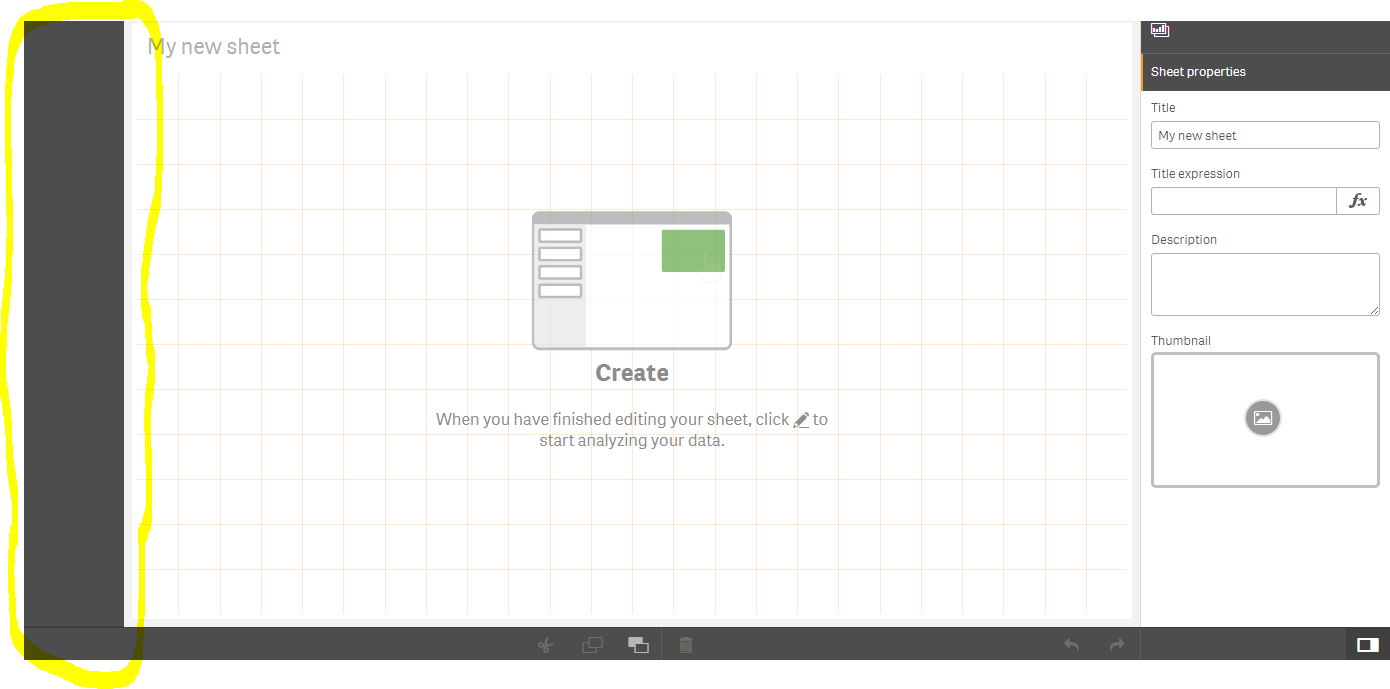
Unfortunately i could not see the Assets Panel (objects, fields, costume objects etc) in applications which are in my work area.
Do you know the reason please?
Thanks,
Nihhal.

 luizcdepaula
- Mark as New
- Bookmark
- Subscribe
- Mute
- Subscribe to RSS Feed
- Permalink
- Report Inappropriate Content
Hi Nihhal,
I am having the same issue after installing Qlik Sense June 2017. Were you able to resolve this issue?
Thanks,
Luiz

- Mark as New
- Bookmark
- Subscribe
- Mute
- Subscribe to RSS Feed
- Permalink
- Report Inappropriate Content
Same problem here
I can only see the panel (Sometimes) when loading data with the data manager.
luizcdepaula
- Mark as New
- Bookmark
- Subscribe
- Mute
- Subscribe to RSS Feed
- Permalink
- Report Inappropriate Content
Daniel, are you also getting an error message "On Demand App Error"?
I had a similar issue, not being able to see the panel objects, and this was due to an error I was receiving, which was the "On Demand App Error". I created a post and I was able to resolve the issue. Please check the post below.
On demand app error - June 2017
I hope it helps.
Cheers,
LD
- Mark as New
- Bookmark
- Subscribe
- Mute
- Subscribe to RSS Feed
- Permalink
- Report Inappropriate Content
Hi! Thank you for the answer.
No, I didn´t get this error message.
I solved the problem by unistalling Qlik Sense (And all the extensions I had) and reinstalling again.
I suppose it was some extension that was creating some type of conflict with the application after the upgrade.
Daniel