The scheduling feature is now available in Qlik AutoML to run a prediction on a daily, weekly, or monthly cadence.
Steps
1. Open a deployed model from Qlik Catalog
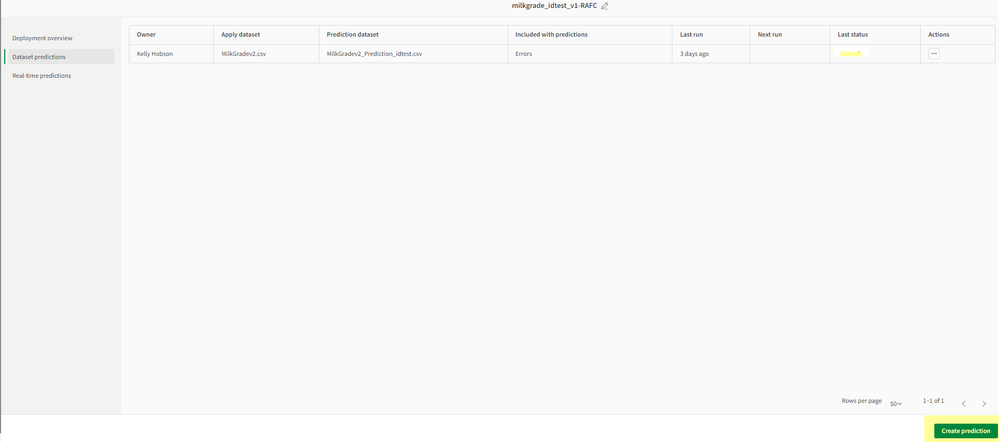
2. Navigate to 'Dataset predictions' and click on 'Create prediction' on bottom right
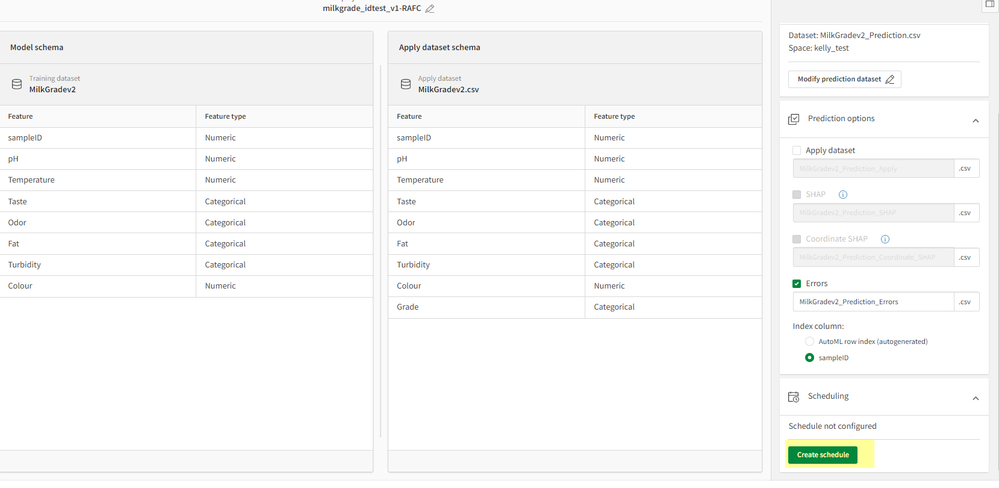
3. Select Apply Dataset, Name prediction datset, select your options, then click on 'Create Schedule'
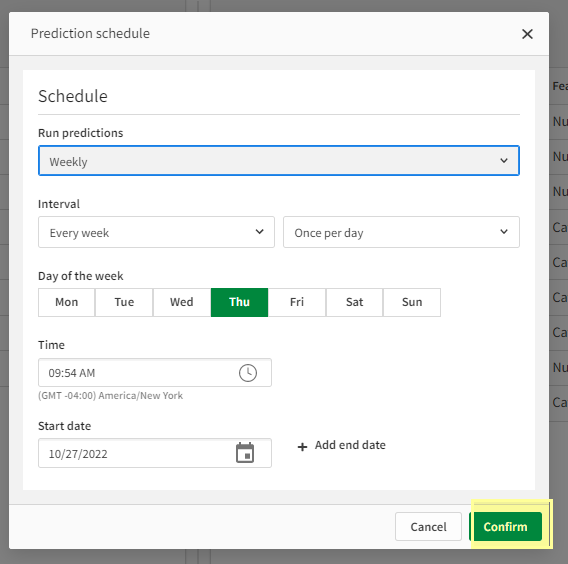
4. Set your schedule options you would like to follow then click confirm
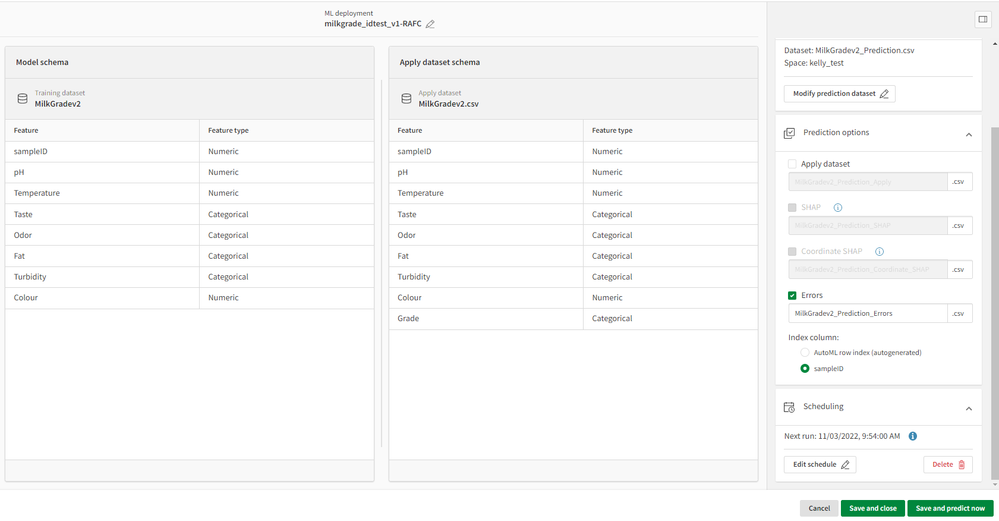
5. Your options now are to 'Save and close' (this will not run a prediction until the next scheduled) or 'Save and predict now' (this will run a prediction now in addition to the schedule)
Note: Users need to ensure the predicted dataset is updated and refreshed ahead of the prediction schedule.
The information in this article is provided as-is and to be used at own discretion. Depending on tool(s) used, customization(s), and/or other factors ongoing support on the solution below may not be provided by Qlik Support.


.png "Former Employee")