Unlock a world of possibilities! Login now and discover the exclusive benefits awaiting you.

- Qlik Community
- :
- All Forums
- :
- QlikView
- :
- Issue converting time measurement
- Subscribe to RSS Feed
- Mark Topic as New
- Mark Topic as Read
- Float this Topic for Current User
- Bookmark
- Subscribe
- Mute
- Printer Friendly Page

- Mark as New
- Bookmark
- Subscribe
- Mute
- Subscribe to RSS Feed
- Permalink
- Report Inappropriate Content
Issue converting time measurement
Hi all,
I’m having an issue converting a time measurement into seconds, hours etc.
The field total_time appears to load in a string format, e.g. 00162597 corresponds to 00 hours:16 minutes:25 seconds.97milliseconds.
I have tried the following expression =Interval(Time#(total_time,'hh:mm:ss.ff'),'ss') to convert it to seconds, but it’s returning a null value.
What’s I find strange is that if I enter =Interval(Time#(00:16:25.77,'hh:mm:ss.ff'),'ss') it will return the correct value, 985.97 seconds.
Is there an issue with how it’s reading the field? Should I have it time-stamped in the load string in a certain way initially?
Thanks for any help.

 sunny_talwar
- Mark as New
- Bookmark
- Subscribe
- Mute
- Subscribe to RSS Feed
- Permalink
- Report Inappropriate Content
Try this may be:
=Interval(Time#(total_time,'hhmmssff'), 'ss')
sunny_talwar
- Mark as New
- Bookmark
- Subscribe
- Mute
- Subscribe to RSS Feed
- Permalink
- Report Inappropriate Content
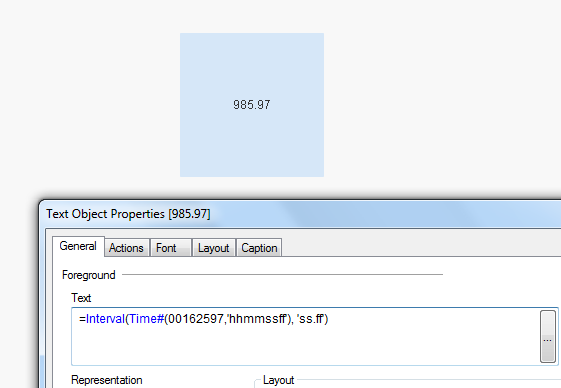
Or this
=Interval(Time#(00162597,'hhmmssff'), 'ss.ff')