Unlock a world of possibilities! Login now and discover the exclusive benefits awaiting you.

- Qlik Community
- :
- Forums
- :
- Analytics & AI
- :
- Products & Topics
- :
- Integration, Extension & APIs
- :
- Re: How to enable Alternative Dimensions and/or Me...
- Subscribe to RSS Feed
- Mark Topic as New
- Mark Topic as Read
- Float this Topic for Current User
- Bookmark
- Subscribe
- Mute
- Printer Friendly Page

 gchampion
- Mark as New
- Bookmark
- Subscribe
- Mute
- Subscribe to RSS Feed
- Permalink
- Report Inappropriate Content
How to enable Alternative Dimensions and/or Measures in an Extension ?
I want to know if it is possible now to enable Alternative Dimension and Measure in an extension vizualisation ?
If yes, how we manage that in the properties panel and if there is something else to do.
I can't see anything in the documentation Qlik Sense 2.2 for Developpers on that.
gchampion
- Mark as New
- Bookmark
- Subscribe
- Mute
- Subscribe to RSS Feed
- Permalink
- Report Inappropriate Content
I succeed to display alternative dimension/measure menu in edit mode chaging definition like that :
definition: {
type: "items",
component: "accordion",
items: {
data: {
uses: "data",
dimensions: {
uses: "dimensions",
min: 1,
max: 1
},
measures: {
uses: "measures",
min: 1,
max: 5
}
},
sorting: {
uses: "sorting"
},
after parameter alternative dimension in non EDIT mode Explore menu tooltip didn't appear, I found how to activate it adding this :
me.snapshot = {
canTakeSnapshot : true
};
me.softDefinition = {
canShowExploreMenu : true
};
It works but nothing appear in the Explore menu. For the moment I didn't find how to make it work completly :
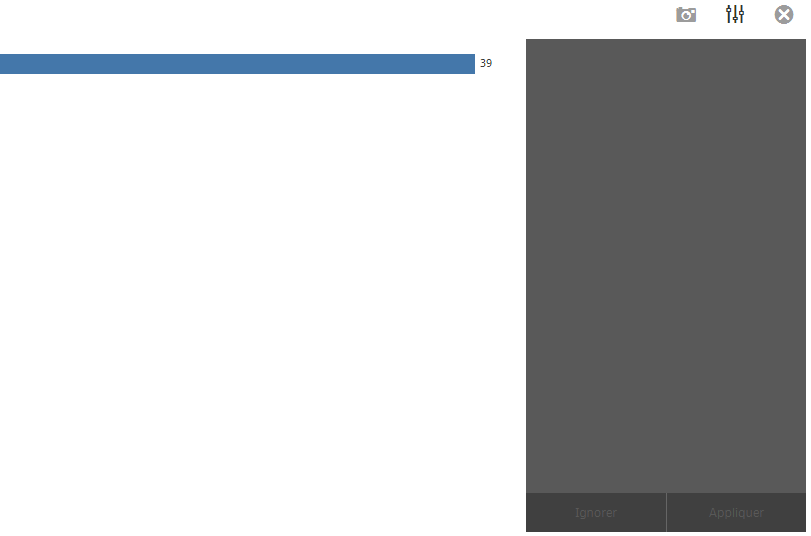
Feel free to help me to answer my open point 

 rikrdodata
- Mark as New
- Bookmark
- Subscribe
- Mute
- Subscribe to RSS Feed
- Permalink
- Report Inappropriate Content
Did you find the solution to add the alternative dimensions?
Regards!
Ricardo

 ajaykakkar93
- Mark as New
- Bookmark
- Subscribe
- Mute
- Subscribe to RSS Feed
- Permalink
- Report Inappropriate Content
definition:{
			type:"items",
			component:"accordion",
			items:{
				data:{
					uses:"data"
				}
				// prop
				/*dimension:{
					uses:"dimensions",
					min:0,
					max:0
				},
				/*measure:{
					uses:"measures",
					min:1,
					max:1
				}*/
			}
		},
		support: {
			snapshot: false,
			export: false,
			exportData: false
		},
		softDefinition : {
		  canShowExploreMenu : true
		},
I found a way like this but had same problem as you did still cannot find the alternate dimension to switch to
 Junru
Junru
- Mark as New
- Bookmark
- Subscribe
- Mute
- Subscribe to RSS Feed
- Permalink
- Report Inappropriate Content
Hello all,
I faced the same problem when I tried to develop my own extension. Did you already solve this problem? If yes, then how?
Any help is appreciated. Thank you!

 alex_colombo
- Mark as New
- Bookmark
- Subscribe
- Mute
- Subscribe to RSS Feed
- Permalink
- Report Inappropriate Content
Hi @gchampion , @ajaykakkar93 , @Junru you have to define softDefinition property in the same way as you did for data property
definition: {
				type: "items",
				component: "accordion",
				items: {
					data: {
						uses: "data",
						items: {
							dimensions: {
								items: {
									"nullSuppression": {}
								},
								min:1,
								max:1
							},
							measures: {
								min:1,
								max:1
							}
						}
					},

				}
			},
			support: {
				snapshot: true,
				export: true,
				exportData: true
			},
			softDefinition : {
				type: "items",
				component: "accordion",
				items: {
					data: {
						uses: "data"
					}
				}
			},
