The purpose of this article is to show how to assign Qlik cloud licenses using the REST Connector.
Prerequisites:
Step by Step:
- Create a rest connection either using the data load editor or the data manager within an app, alternatively it can also be created from the hub by "+ add new" ➡️ "Data connection"
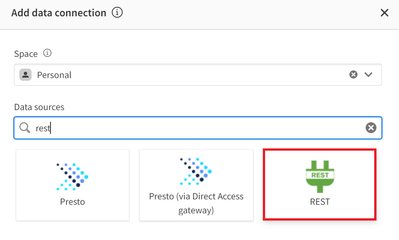
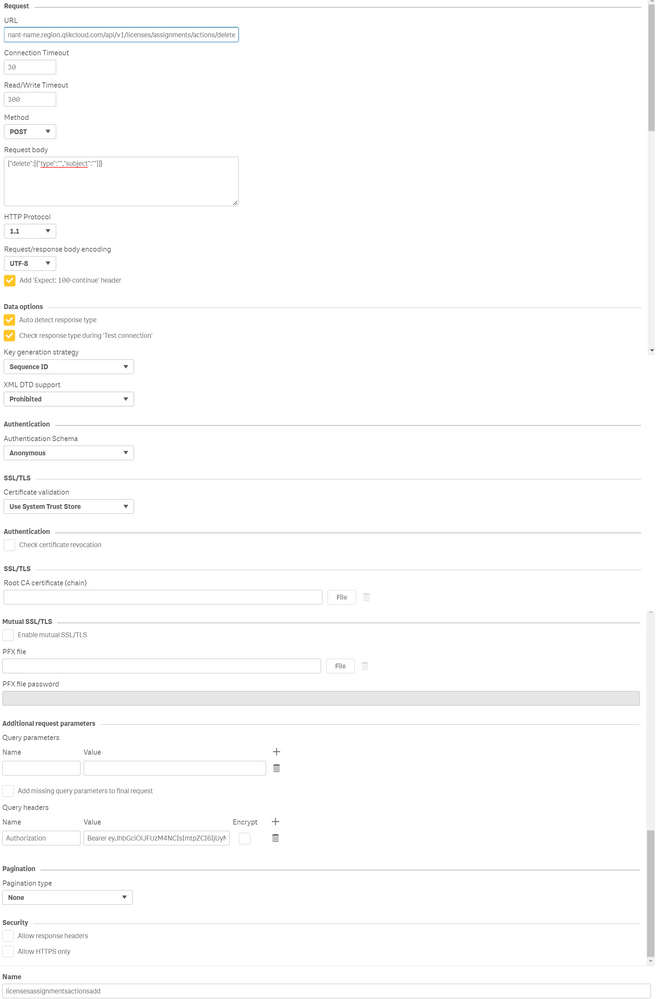
- Introduce the connection details.
URL:
https://your-tenant.region.qlikcloud.com/api/v1/licenses/assignments/actions/delete
Method:
Post
Request body:
{"delete":[{"type":"","subject":""}]}
Query headers:
Authorization
Bearer API KEY
See fig 2.
- Create an app and add the following script:
//
//How to DELETE Licenses using the rest connector
//
// Subject IDP, Can be retrieved via API https://qlik.dev/apis/rest/users/#%23%2Fentries%2Fv1%2Fusers-get
let vsubject = 'auth0|f627a4e1ac7b8f - place your subject IDP here';
let vRequestBody ='{';
Let vRequestBody = vRequestBody&'"delete":[{';
//type of license to be deleted, it can be "professional" or "analyzer"
Let vRequestBody = vRequestBody&'"type":"professional",';
Let vRequestBody = vRequestBody&'"subject":"$(vsubject)"';
Let vRequestBody = vRequestBody&'}]';
Let vRequestBody = vRequestBody&'}';
let vRequestBody = replace(vRequestBody,'"', chr(34)&chr(34));
//Endpoint used can be found here : https://qlik.dev/apis/rest/licenses/#%23%2Fentries%2Fv1%2Flicenses%2Fassignments%2Factions%2Fdelete-...
LIB CONNECT TO 'licensesassignmentsactionsdelete';
RestConnectorMasterTable:
SQL SELECT
"url",
"__KEY_root",
(SELECT
"add",
(SELECT
"type",
"subject"
FROM "add" )
FROM "data"
)
FROM JSON (wrap on) "root" PK "__KEY_root"
WITH CONNECTION(
BODY "$(vRequestBody)"
);
*Notes: The license deletion is based on the subject IDP. That information can be retrieved manually using the management console or using the API for users.
Environment
Qlik Cloud
Related Content
How to Generate API Keys in Qlik Sense SaaS using APIs
Assigning user roles
Removes license access for the given users



