Unlock a world of possibilities! Login now and discover the exclusive benefits awaiting you.

- Qlik Community
- :
- All Forums
- :
- Qlik NPrinting
- :
- NPrinting Excel Designer Hungs when creating repor...
- Subscribe to RSS Feed
- Mark Topic as New
- Mark Topic as Read
- Float this Topic for Current User
- Bookmark
- Subscribe
- Mute
- Printer Friendly Page

 nadkalyan
- Mark as New
- Bookmark
- Subscribe
- Mute
- Subscribe to RSS Feed
- Permalink
- Report Inappropriate Content
NPrinting Excel Designer Hungs when creating report
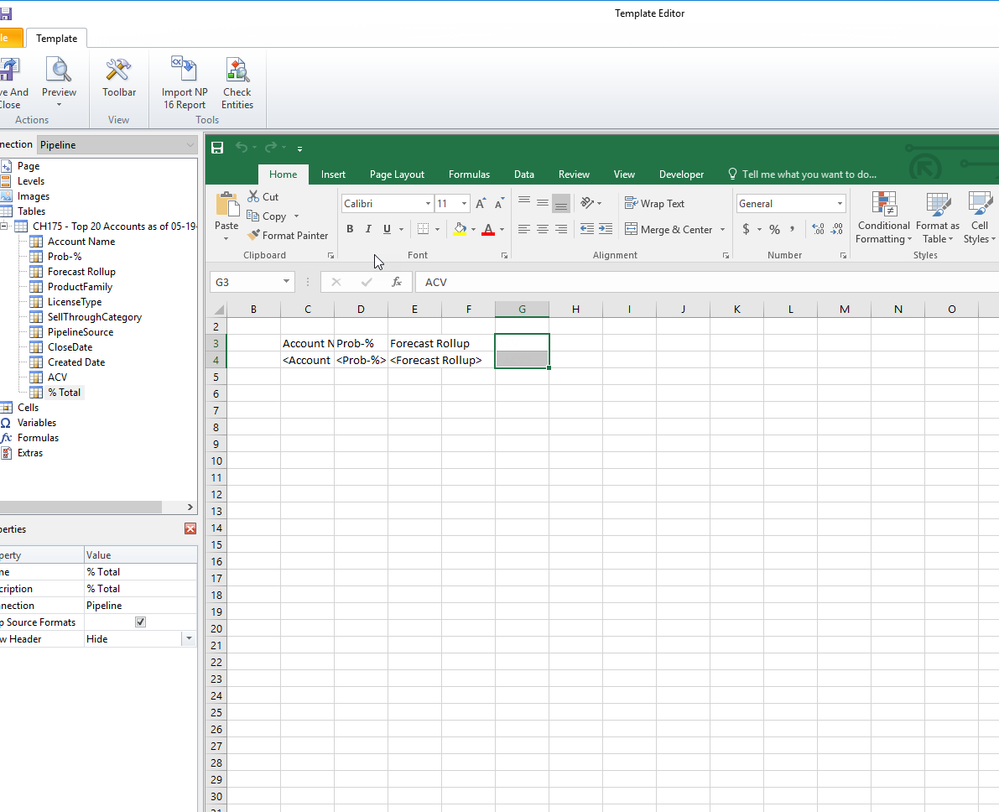
Hello, While adding columns to the NPrinting designer excel format, Excel Hungs and does not allow me to add any additional Columns or move to different Cell. The connection to the App is active and I am able to Add new Images or tables from source Qlikview document, however i cannot navigate on the Excel interface. Can someone please provide some insight on the issue
- « Previous Replies
-
- 1
- 2
- Next Replies »

 Frank_S
- Mark as New
- Bookmark
- Subscribe
- Mute
- Subscribe to RSS Feed
- Permalink
- Report Inappropriate Content
Check the following points next:
Log on as the NPrinting service account on to the NPrinting server
Open the QVW only while logged on as the NPrinting service account. Do File>Open in Server to the QVW in order to open it. If not a QVP connection open the QVW in the same was as configured as the NPrinting connection is configured. ie: as a network path if the connection is configured as a network path.
Do you experience any hanging behavior? Is the QVW file quite large? Does it eventually open? Any macros?
Turn on Task Manager and view the CPU and Memory performance while opening the QVW as the NP service account.
How much RAM is installed on the NP server? How many CPUs?
nadkalyan
- Mark as New
- Bookmark
- Subscribe
- Mute
- Subscribe to RSS Feed
- Permalink
- Report Inappropriate Content
Thanks for the Checkpoints on the things to check. I have followed the steps and here is my feedback-
Do you experience any hanging behavior? Is the QVW file quite large? Does it eventually open? Any macros? - No Hanging behavior when opened qvp file from Nprinting server. It opens fine and QVW is aroung 80MB. No Macros.
Turn on Task Manager and view the CPU and Memory performance while opening the QVW as the NP service account. – CPU and Memory is normal. Did not see much hike.
How much RAM is installed on the NP server? How many CPUs? – 128GB RAM and 16 Core CPU.
Thanks
Frank_S
- Mark as New
- Bookmark
- Subscribe
- Mute
- Subscribe to RSS Feed
- Permalink
- Report Inappropriate Content
Thank you @nadkalyan but it is critical to do this test while logged on as the NP service account (same account that is used to run the NPrinting server services (NP engine, Scheduler and web engine).
Your response does not specifically address if you did this test while logged on as the NP service account.
If you log on as your own Active Directory account then the test is not valid. You must use the NPrinting service account.
If you have done so and you don't experience any issues while logged on as the NP service account, then please start a support request so we can investigate this for you more thoroughly.
Kind regards...
nadkalyan
- Mark as New
- Bookmark
- Subscribe
- Mute
- Subscribe to RSS Feed
- Permalink
- Report Inappropriate Content
That is correct- all tests are done using Nprinting service account. I will open a ticket to address it more appropriately.
Thanks
Kalyan

- « Previous Replies
-
- 1
- 2
- Next Replies »