Unlock a world of possibilities! Login now and discover the exclusive benefits awaiting you.

Recent Documents
-
Mapping Postal codes
Mapping data based on postal code areas or center points is a common task. However postal codes is not a one global standard and there is lot of varia... Show MoreMapping data based on postal code areas or center points is a common task. However postal codes is not a one global standard and there is lot of variation between countries in format and structure that makes the task challenging.
Also the availability of postal code areas varies, many countries are included in the Qlik Location database, but for others postal code areas need to be purchased separately.
Workflow
Here's the high level workflow, the bulk is data preparation before rendering
1. Prepare the data
- Make the postal codes unique
- Pad with zeroes
- Some countries are special
- Check coverage
- Build overview layers when possibleThis app will show how to map postal code areas for five European countries: France, Great Britain, Germany and Italy. The indata is not clean and contains errors like in most uses cases.
Prepare the data
Make the postal codes unique
When mapping postal codes for several countries the first step is to make the postal code unique. The easiest way to do this is to add country code prefixed with a comma after the postal code.
=Postal & ',' & CountryCode as zip
Pad with zeroes
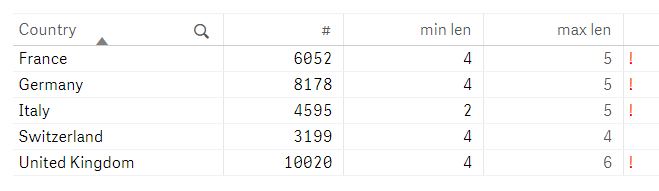
In many cases Excel drops leading zeroes in numerical postal codes. I can see that when looking at the max and min lengths. Note that not all postal codes are numeric though and UK is special so we fix that later. Pad with leading zeroes for France, Germany and Italy like this:
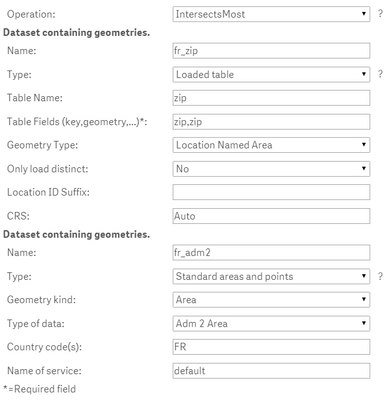
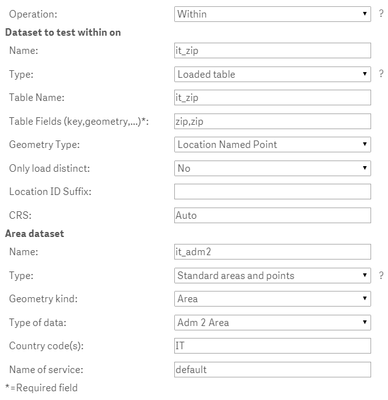
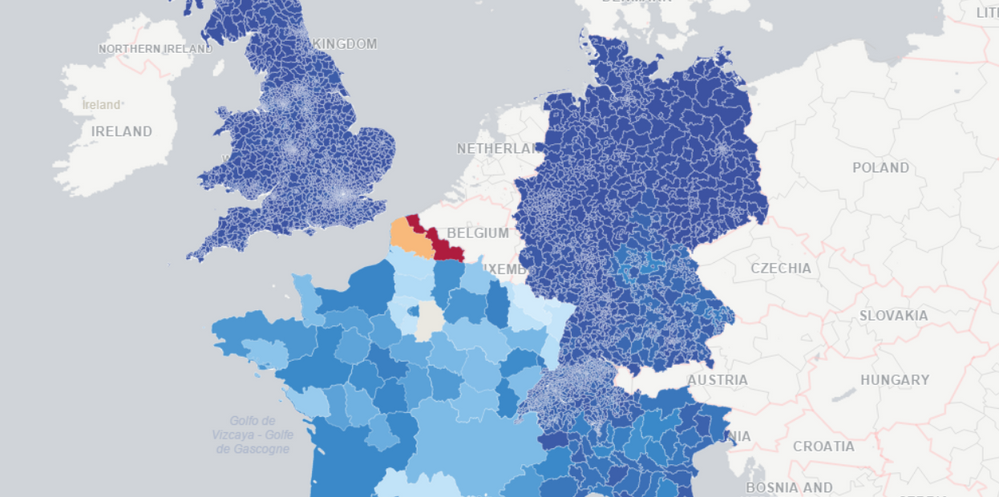
=Num(PostalCode,'00000')Great Britain is specialThe postcodes are alphanumeric, and are variable in length: ranging from six to eight characters (including a space) long. Each post code is divided into two parts separated by a single space. More info at Wikipedia. Here's the three levels comparable to 2,3 and 4 digit numeric postal codes:
Area: 1 or 2 lettersDistrict: 1 or 2 digits or a digit followed by a letterSector: 1 digitCan be parsed like this if the the space is in the right place:=If(IsNum(Mid(zip,2,1)),Left(zip,1),Left(zip,2)) & ',' & cc // Area=subfield(zip,' ',1) & ',' & cc // District=subfield(zip,' ',1) & ' ' & left(subfield(zip,' ',2),1) & ',' & cc // SectorCheck coverageBy checking the table at Qlik GeoAnalytics Coverage I can tell that there is built support for postal code areas for most of the countries I am interested. However:(1) Postal code areas are missing for Italy.(2) France doesn't support 2,3,4 level postal code areas.(3) Northern Ireland is not included in the areas for Great Britain.Truncate for 2 and 3 digit postal code levelsGermany and Switzerland are easy, just truncate the zip code and add the country code. Add the following before the load:load *,left(zip,2) & ',' & cc as zip2,left(zip,3) & ',' & cc as zip3;France, IntersectsMostFor France we will use administrative areas level 1 and level 2 as replacement of the non-existing postal code areas of 2 and 3 digit.Using the QGA connector operation IntersectMosts will construct the hierarchy between postal code and admin boundaries: Adm1>Adm2>Zip. For details see the load script.Italy, WithinFor Italy we will also use admin 1 and 2, and use a point layer for the postal code level.Using the QGA connector operation Within we can link postal code center points to the administrative boundary level 2: Adm1>Adm2>Zip. For details see the load script.Create map viewAfter that it's easy to put together a map view.1. Create a drill down group Country > zip2 > zip3 > zip2. Add map chart and a area layer, drill down group as dimension, color by Sum(Sales)3. Add a point layer only visible on level "zip", add a set expression for location: only({<cc={'IT'}>}zip)See the attached app and data for more details.