Qlik Sense Pivot table: "Expand/collapse ALL" on single level
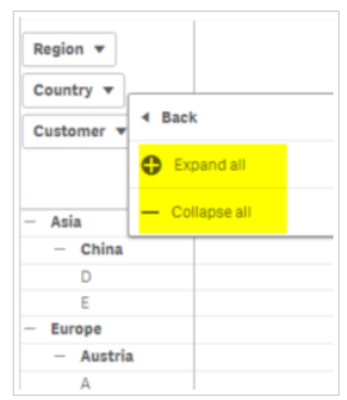
When using a Pivot table with several levels, one can "right-click" on the level and use the option "expand/collapse All". This option does not allow to expand the single level.
Customers want to be able to expand a level "expand next level" and keep others collapsed.
This Idea was recorded as a copy of an old idea in the previous ideation system. It was again requested by a customer.
Don't forget to Like posts and use the "Accept as Solution" button on content that answered your question! Thanks 🙂
i'm also interested on this feature. it would also be nice, if you can define a default level in which de expand should start. e.a. expand the level one and two as default and collapse the level three, four and five.
For those interested, there is a little workaround (not as good through).
By using a straight table with the "Show column if" feature, you can do something like "I display column Y if I selected at least one value in column X".
So for example, if you have as first level dimension "Country", you can put for your sub dimensions "State", "City", "Address" the condition GetSelectedCount([Country]) >= 1.
This will, kind of, expand (display in that case) all columns.
I can't believe this feature was not implemented in Qlik Sense.
As a heavy Qlikview user we are being encouraged to migrate to Qlik Sense but the lack of matching functionality like this is a real barrier and makes Sense look like the poor relation.