Unlock a world of possibilities! Login now and discover the exclusive benefits awaiting you.

Product Innovation
By reading the Product Innovation blog, you will learn about what's new across all of the products in our growing Qlik product portfolio.
Support Updates
The Support Updates blog delivers important and useful Qlik Support information about end-of-product support, new service releases, and general support topics.
Qlik Academic Program
This blog was created for professors and students using Qlik within academia.
Community News
Hear it from your Community Managers! The Community News blog provides updates about the Qlik Community Platform and other news and important announcements.
Qlik Digest
The Qlik Digest is your essential monthly low-down of the need-to-know product updates, events, and resources from Qlik.
Qlik Learning
The Qlik Learning blog offers information about the latest updates to our courses and programs, as well as insights from the Qlik Learning team.
Recent Blog Posts
-
【11/12(木)15:00 開催】サッポログループのデータ基盤構築と Qlik 採用の背景
本 Web セミナーシリーズでは、Qlik でデータからアクションを起こすデータ主導のビジネスで成功しているお客様より、課題から導入の経緯、デモンストレーション、活用例などをご紹介します。 ※ 視聴無料。パソコン・タブレット・スマートフォンで、どこからでもご視聴いただけます。 【11/12(木)15:00 開催】サッポログループのデータ基盤構築と Qlik 採用の背景 サッポログループは、営業、物流、会計をはじめ、バリューチェーンの各領域を横断したデータ活用を支える共通基盤「SAPPORO DATA FACTORY」を構築し、全社的なデータ民主化を推進しています。本 Web セミナーは、データ基盤構築に取り組んだ背景や、Qlik Talend Cloud® を採用した理由、そして導入によって得られた成果をご紹介します。データドリブン経営を支える基盤づくりの実践知をお届けします。 今すぐ申し込む 今すぐ申し込む -
Techspert Talks - AI Best Practices with Qlik Cloud
Hi everyone, Want to stay a step ahead of important Qlik support issues? Then sign up for our monthly webinar series where you can get first-hand insights from Qlik experts. Next Thursday, October 15 Qlik will host another Techspert Talks session and this time we are looking at AI Best Practices with Qlik Cloud. But wait, what is it exactly?Techspert Talks is a free webinar held on a monthly basis, where you can hear directly from Qlik Techsper... Show MoreHi everyone,
Want to stay a step ahead of important Qlik support issues? Then sign up for our monthly webinar series where you can get first-hand insights from Qlik experts.
Next Thursday, October 15 Qlik will host another Techspert Talks session and this time we are looking at AI Best Practices with Qlik Cloud.
But wait, what is it exactly?
Techspert Talks is a free webinar held on a monthly basis, where you can hear directly from Qlik Techsperts on topics that are relevant to Customers and Partners today.In this session we will cover:
- Data preparation for AI
- Understanding prompts
- Tips for improving performance
Choose the webinar time that's best for youThe webinar is hosted using ON24 in English and will last 30 minutes plus time for Q&A.
Hope to see you there!!
-
Copy & Paste Style
There have been new Qlik Sense features the past few months that I was excited to see. One of my favorites, which I am sure you are aware of, is the layout container. If you have not heard about it, check out Michael’s blog post here. Another favorite of mine is the copy and paste style feature which allows developers to copy and paste styles from one visualization to another. With all the styling options available in visualizations, being able t... Show MoreThere have been new Qlik Sense features the past few months that I was excited to see. One of my favorites, which I am sure you are aware of, is the layout container. If you have not heard about it, check out Michael’s blog post here. Another favorite of mine is the copy and paste style feature which allows developers to copy and paste styles from one visualization to another. With all the styling options available in visualizations, being able to copy and paste styles saves time and eliminates the need to go into the styling properties of each visualization and set all the styling options you would like to use.
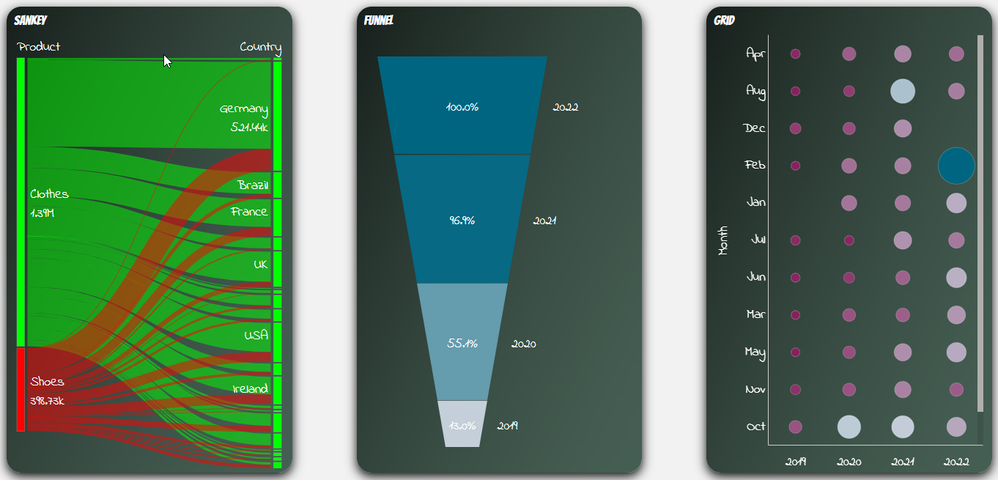
Some of the latest charts that have been upgraded to the new styling property panel are the Grid, Funnel and Sankey, giving users the ability to customize the title, subtitle, footnote, and background of a chart as well as the style the axes, labels, legends, and values in a visualization. Borders and shadows can be added to these visualizations as well.
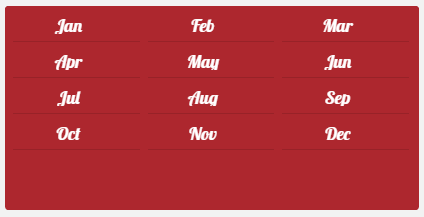
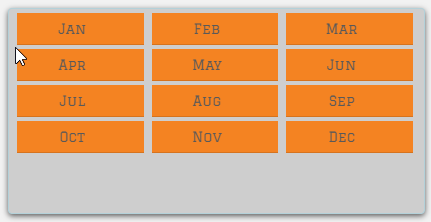
The Filter Pane now has font styling for the title, subtitle, footnote, and header as well as font header and content styling. Like the charts above, borders and shadows can be added as well. Developers can change the background color or use an image in the background and control the color of the selected state. Here are a few examples.
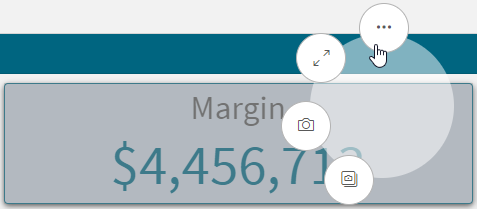
With all these styling options, it is awesome that developers can now copy and paste the style from one visualization to another. If you remember the QlikView days, you know how valuable this feature is. Assume I have an app with a theme applied and have made some styling changes to the Margin KPI (see image below). If I want to apply the same styling changes to the Margin %, I have two options. One option is to open the styling properties of the Margin % KPI and make the same changes to the background color, border color and shadowing.
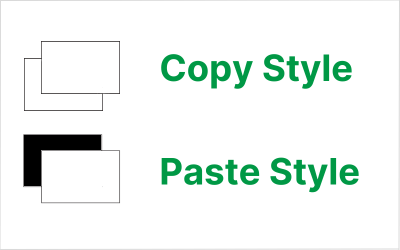
The second option and the easiest option is to right click on the Margin KPI while in Edit mode, click on the three dots (…) and select Copy style.
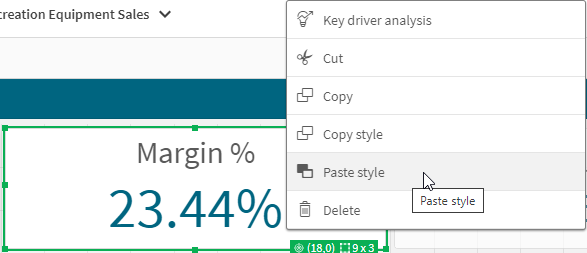
Then right click on the Margin % KPI, click on the three dots (…) and select Paste style.
That is a lot easier than styling the KPI manually, especially if there are multiple visualizations to update.
There are a few limitations to using the copy and paste style - you cannot copy and paste the style in a map or a master visualization. New styling properties for visualizations are being add all the time, giving users many options to style and make their app stand out. The copy and paste functionality is a great addition to Qlik Sense and makes designing and styling apps easier.
Thanks,
Jennell
-
Changes to Qlik S3 Connector (V1) ListBuckets table behavior: Creation_Date colu...
Qlik is updating the S3 connector (V1). As part of this update, the Creation_Date column in the ListBuckets table is being renamed to CreationDate. See Amazon S3 | Qlik Web Storage Provider Connectors for general information about the connector and its availability. This is a breaking change: any load script or data model that references the old Creation_Date column name against the ListBuckets table will fail on reload once the change takes eff... Show MoreQlik is updating the S3 connector (V1). As part of this update, the Creation_Date column in the ListBuckets table is being renamed to CreationDate.
See Amazon S3 | Qlik Web Storage Provider Connectors for general information about the connector and its availability.
This is a breaking change: any load script or data model that references the old Creation_Date column name against the ListBuckets table will fail on reload once the change takes effect.
What products are affected and when?
- Qlik Cloud will receive the change between the 12th and 16th of October
We have reviewed usage across our tenants and have not identified any customers currently using this column. No impact is expected.
- Qlik Sense Enterprise on Windows (client-managed) will see the change implemented in the upcoming November 2026 release
- Qlik Web Connectors (Qlik Web Connectors | help.qlik.com) will see the change implemented in the upcoming November 2026 release
What action do I need to take?
If a reload of the ListBuckets table fails after this update, update your load script to reference CreationDate instead of Creation_Date. This is the only change required to restore functionality.
No other columns or tables in the S3 connector (V1) are affected. Simply update the column name in your script and reload again.
A note for Qlik Cloud users: As rollout timing can vary, there is no action you can take in advance since the change cannot be pre-empted or scheduled around.
What happens if I don't act?
If your script references Creation_Date in the ListBuckets table, that reload will fail once the change takes effect or after you upgrade Qlik Sense Enterprise on Windows and/or the Web Connector package.
If you have any questions, we're happy to assist. Reply to this blog post or take your queries to our Support Chat.
Thank you for choosing Qlik,
Qlik Support - Qlik Cloud will receive the change between the 12th and 16th of October
-
Upcoming Qlik Sense Enterprise on Windows Oracle Essbase Connector End of Life i...
The Oracle Essbase for Qlik Sense Enterprise on Windows (client-managed) connector will reach end of life and is therefore no longer recommended for use. When will the connector reach end of life? The Essbase Connector will reach end of life beginning with the Qlik Sense Enterprise on Windows May 2027 release and will no longer be included in the installation package. Earlier Qlik Sense Enterprise on Windows releases that still include the Or... Show MoreThe Oracle Essbase for Qlik Sense Enterprise on Windows (client-managed) connector will reach end of life and is therefore no longer recommended for use.
When will the connector reach end of life?
The Essbase Connector will reach end of life beginning with the Qlik Sense Enterprise on Windows May 2027 release and will no longer be included in the installation package.
Earlier Qlik Sense Enterprise on Windows releases that still include the Oracle Essbase connector are unaffected by this change and continue to be supported according to their normal lifecycle.
What does that mean for me?
Applications and data connections using the Oracle Essbase connector will stop working once an environment is upgraded to the Qlik Sense Enterprise on Windows May 2027 release. As a workaround, Qlik Sense Enterprise on Windows supports connecting to systems that offer a REST API using the Qlik generic REST connector. Essbase exposes a REST interface that can be used as an alternative way to bring the same data into your applications.
We're happy to assist with any follow-up questions. Reply to this blog post or take your queries to our Support Chat.
Thank you for choosing Qlik,
Qlik Support -
ODBC Connector for Qlik Sense Enterprise on Windows: Upcoming End of Support for...
Effective in the Qlik Sense Enterprise on Windows November 2026 release, and in the latest patches for May 2025, November 2025, and May 2026, the ODBC connector used by Qlik Sense Enterprise on Windows will no longer support connections secured with TLS 1.0 or TLS 1.1. To maintain uninterrupted connectivity, customers should upgrade their environments to use TLS 1.2 or higher ahead of applying these releases or patches. The changes are expected a... Show MoreEffective in the Qlik Sense Enterprise on Windows November 2026 release, and in the latest patches for May 2025, November 2025, and May 2026, the ODBC connector used by Qlik Sense Enterprise on Windows will no longer support connections secured with TLS 1.0 or TLS 1.1. To maintain uninterrupted connectivity, customers should upgrade their environments to use TLS 1.2 or higher ahead of applying these releases or patches.
The changes are expected after October 28th, 2026 and will be communicated in the respective release notes.
Why is this happening?
TLS 1.0 and TLS 1.1 are legacy encryption protocols that are no longer considered secure and have been deprecated across the industry for several years. Removing support for these older protocols in the ODBC connector aligns Qlik's connectivity stack with current security standards and reduces exposure to known vulnerabilities in outdated TLS implementations.
Who is affected?
This change affects the ODBC connector in Qlik Sense Enterprise on Windows only. At this point, Qlik Sense Desktop and QlikView are not affected by this change. The standalone ODBC Connector (QvOdbcConnectorPackage.exe) remains unaffected for the time being.
Any data source connection made through the ODBC connector in Qlik Sense Enterprise on Windows that relies on TLS 1.0 or TLS 1.1 will be affected once support is removed, regardless of whether the TLS version is enforced by the data source itself, a network intermediary, or the client driver configuration.
What does this mean for me?
If your data source, ODBC driver, or the underlying operating system is currently configured to negotiate connections using only TLS 1.0 or TLS 1.1, those connections will fail once you move to a version of Qlik Sense Enterprise on Windows that removes TLS 1.0 or TLS 1.1 support.
Reload tasks, extensions, and any other workflows using affected ODBC connections will no longer be able to connect to the data source.
What should I do?
- Review and upgrade your environment so that all ODBC connections negotiate TLS 1.2 or greater before you upgrade Qlik Sense Enterprise on Windows.
- If you are not already using TLS 1.2 or later, recreate the connection with the updated TLS configuration.
Questions?If you have questions or need assistance planning your upgrade, our forums are open to you, and Support is only a chat away.
Thank you for choosing Qlik,
Qlik Support -
【10/27(火)- 28(水)開催】地⽅⾃治情報化推進フェア2026 に出展します!
Qlik は、ブースとシアターセッションで参加します! 日本最大級の自治体向け情報システム展示会、「地方自治情報化推進フェア2026」では、自治体 DX やマイナンバーカードの利活用推進に資する最新の情報や取り組みをご紹介します。 Qlik は、パートナー企業の AWS ブース内にて、ブースとシアターセッションで参加します。自治体における DX 推進や生成 AI 活用、AWS との連携による、自治体業務の課題解決に向けた取り組みについてご紹介します。 今すぐ申し込む 【開催概要】 日時:10/27(火)9:30 - 17:30 10/28(水)9:30 - 17:00 会場:幕張メッセ国際展示場展示ホール 1 - 3 千葉県千葉市美浜区中瀬 2-1 定員:事前登録制 主催:地方公共団体情報システム機構(J-LIS) Qlik シアターセッション AWS ブース内 10/27(火)15:00-15:15 分析力より定着力。自治体データ利活用の鍵自... Show MoreQlik は、ブースとシアターセッションで参加します!
日本最大級の自治体向け情報システム展示会、「地方自治情報化推進フェア2026」では、自治体 DX やマイナンバーカードの利活用推進に資する最新の情報や取り組みをご紹介します。
Qlik は、パートナー企業の AWS ブース内にて、ブースとシアターセッションで参加します。
自治体における DX 推進や生成 AI 活用、AWS との連携による、自治体業務の課題解決に向けた取り組みについてご紹介します。【開催概要】
日時:10/27(火)9:30 - 17:30
10/28(水)9:30 - 17:00会場:幕張メッセ国際展示場展示ホール 1 - 3
千葉県千葉市美浜区中瀬 2-1定員:事前登録制
主催:地方公共団体情報システム機構(J-LIS)
Qlik シアターセッション AWS ブース内 10/27(火)15:00-15:15
分析力より定着力。自治体データ利活用の鍵
自治体のデータ利活用の進み具合は様々ですが、可視化機能の不足よりもデータ整備や庁内ルール、人材・予算といった事情が課題になっていることが少なくありません。本セッションでは、公開・内部の使い分けから、データ整備・運用・ガバナンス・人材・コストまでをフォローする機能という観点から、生成 AI との連携も交え、Qlik がサポートするデータ利活用の一歩先を紹介します。
クリックテック・ジャパン株式会社
エンタープライズ営業部 エンタープライズアカウントマネージャー
村田 太郎 -
Important update on SAP Data Access Restrictions and your Qlik Integration: SAP ...
Dear Qlik Customers, In April 2026, SAP published a series of updates that will restrict your ability to extract certain SAP data using Qlik products. We are writing to explain what is changing, what it means for your Qlik integration, what you can do next, and how Qlik is responding. SAP Announcement SAP has recently updated SAP Note 3255746 and its API Policy, which together prevent customers from using the ODP-RFC interface to perform bulk d... Show MoreDear Qlik Customers,
In April 2026, SAP published a series of updates that will restrict your ability to extract certain SAP data using Qlik products. We are writing to explain what is changing, what it means for your Qlik integration, what you can do next, and how Qlik is responding.SAP Announcement
SAP has recently updated SAP Note 3255746 and its API Policy, which together prevent customers from using the ODP-RFC interface to perform bulk data extractions to non-SAP systems. Here is what you need to know.
Impacted Qlik Products:
The CDC connectivity via ODP will be at most risk by the implementation of the June 9th SAP security update, as it will be blocked. The main products affected are:
- Qlik Talend Cloud SAP ODP Connector
- Qlik Replicate SAP ODP Endpoint
Other impacted products that also offer ODP functionality are:
- Qlik Analytics (Qlik Sense / QlikView) SAP ODP Connector
- Talend Studio Component tSAPODPInput (see SAP ODP-RFC Changes: What Talend Studio Customers Need to Know)
- Talend Studio Component tSAPADSOInput using RFC-based access to Advanced DataStore Objects (ADSO), relying on the ODP API (see SAP ODP-RFC Changes: What Talend Studio Customers Need to Know)
The following Qlik Products do not use the ODP-RFC interface and therefore will not be impacted by the June SAP Security update:
- Qlik Gold Client
What's Changing and When:
- June 9, 2026: SAP released a security patch through SAP Note 3635619 blocking “unrestricted” calls from non-SAP applications, including affected Qlik connectors, that rely on the ODP-RFC interface. Depending on your SAP system’s component levels, your SAP System Administrator may apply the SAP Note independently or as part of an SAP Support Package (refer to SAP Note 3635619).
- Temporary revert option: According to SAP Note 3731818, there is an option to allow restricted ODP-RFC calls on systems with the security patch installed to proceed without interruption. Implementing SAP Note 3635619 will add an opt-out program which allows disables the ODP-RFC restrictions. SAP Note 3731818 also states that another SAP Note will be provided at the end of 2026 to permanently disable the opt-out program and reimplement the block on unrestricted ODP-RFC calls from non-SAP applications.
Recommended Next Steps
- Review the SAP Notes: Independently review SAP Note 3255746 (reclassification notice), SAP Note 3439624 (self-assessment tool), SAP Notes 3748819 and 3635619 (security patch for ODP-RFC), and SAP Note 3731818 (security patch opt-out program) via the SAP Support Portal at support.sap.com. Address your concerns and feedback through the appropriate SAP channels.
- Contract Review: Review your customer agreement and the API Policy, updated in April, 2026, to evaluate SAP’s ability to make unilateral changes to your data access rights, and to require additional purchases or charge egress fees.
- Audit your environment: SAP has released a self-assessment tool (SAP Note 3439624, available April 13, 2026) to help you identify all current ODP-RFC usage across your systems.
- The Qlik SAP ODP Connector will show as “unpermitted”, which means it will be blocked by the SAP June Security patch
- The Qlik SAP OData Connector will show as “permitted”, which implies it will continue to work with the SAP June Security
patch
- Evaluate Qlik’s Alternative SAP Connectors: Qlik supports several methods for SAP connectors, including OData and SAP Extractors. We continue to enhance our connectors and are looking to release a new SAP connector due later this year, which may prove a viable alternative.
- Work with Qlik: Reach out to your Qlik representative before implementing the SAP June Security patch, so we can partner with you on alternate Qlik solutions and ways to address these SAP restrictions. Together, we can evaluate your specific environment, understand your connectivity needs, and align on the best path forward before the December 2026 deadline.
Our Commitment
You should be in control of your business-critical data, wherever it creates value. Without interoperable architectures, SAP customers like you face higher costs, performance issues, and less freedom to choose, including loss of flexibility in implementing AI.
Qlik already supports alternatives to ODP and is actively developing additional migration paths and solutions to preserve your flexibility through this transition and beyond. We will continue to work on viable alternatives to our ODP endpoints and help you navigate this change on your terms, not SAP's. To learn more about how Qlik can support your specific environment, please reach out to your Qlik representative.
Additional Resources
- SAP’s Operational Data Provisioning (ODP) Update Public FAQ
- SAP Note 3255746 (reclassification notice) - Accessible via the SAP Support Portal at support.sap.com
- SAP Note 3439624 (self-assessment tool) - Accessible via the SAP Support Portal at support.sap.com
- SAP Note 3748819 and SAP Note 3635619 (security patch for ODP-RFC) - Accessible via the SAP Support Portal at support.sap.com
- SAP Note 3731818 (security patch opt-out program) - Accessible via the SAP Support Portal at
- support.sap.com
- “Open” on Whose Terms? What SAP Sapphire Won't Say. by Matt Hayes – Qlik GM Data Business Unit
- SAP ODP-RFC Changes: What Talend Studio Customers Need to Know Qlik Support article by Rodrigo Martins
This communication reflects Qlik's current interpretation of SAP's restrictions, which are outside our control and subject to change. Customers should consult SAP's official communications and seek independent guidance on operational and legal impact. Roadmap statements are forward-looking and not commitments; disruptions arising from SAP's decisions do not constitute a defect in Qlik's products or services.
-
【10/28(水)開催】金融カンファレンス「データと AI が支える金融ビジネス変革」に出展します!
10/28(水)開催:金融カンファレンス - データと AI が支える金融ビジネス変革 データと AI の活用が重要な経営戦略となる一方、多くの金融機関ではガバナンスの構築やAIエージェントの運用、AI 前提の組織への転換などさまざまな課題に直面しています。金融ビジネス変革を実現するためには、人と AI が協働する持続可能な推進体制を整えると共に、最新の IT テクノロジーやソリューションを積極的に取り入れていくことが求められています。本イベントでは、基調講演にて株式会社みずほフィナンシャルグループよりデータ基盤・AI エージェント活用の考え方について、特別講演にて株式会社横浜銀行よりデータ・AI 活用の推進について具体的な事例と共にご紹介いただきます。今すぐ申し込む 【開催概要】 日時:10/28(水)14:00-18:15(受付開始 13:30) 17:45以降:ネットワーキング 会場:JA 共済ビル カンファレンスホール 東京都千代田区平... Show More10/28(水)開催:金融カンファレンス - データと AI が支える金融ビジネス変革
データと AI の活用が重要な経営戦略となる一方、多くの金融機関ではガバナンスの構築やAIエージェントの運用、AI 前提の組織への転換などさまざまな課題に直面しています。金融ビジネス変革を実現するためには、人と AI が協働する持続可能な推進体制を整えると共に、最新の IT テクノロジーやソリューションを積極的に取り入れていくことが求められています。
本イベントでは、基調講演にて株式会社みずほフィナンシャルグループよりデータ基盤・AI エージェント活用の考え方について、特別講演にて株式会社横浜銀行よりデータ・AI 活用の推進について具体的な事例と共にご紹介いただきます。
今すぐ申し込む【開催概要】
日時:10/28(水)14:00-18:15(受付開始 13:30)
17:45以降:ネットワーキング会場:JA 共済ビル カンファレンスホール
東京都千代田区平河町 2-7-9 JA 共済ビル定員:200 名(事前登録制)
主催:株式会社セミナーインフォ
-
【オンデマンド配信】Snowflake World Tour Tokyo 2026 の講演をプレイバック!
Qlik が Snowflake へのデータ統合と AI 活用を全方位でサポート エンタープライズ AI 戦略において、Snowflake 上のデータ基盤整備は急務となっています。本 Web セミナーでは、基幹システムからのリアルタイムのデータパイプライン構築、データ抽出コストを最適化できる Iceberg レイクハウス、分析とデータエンジニアリングをシームレスにつなぐ MCP サーバーをご紹介します。統合からインサイト創出まであらゆるデータから価値を生む AI 時代の最新アプローチをご紹介します。今すぐ視聴する オンデマンド配信 AI エージェントに Qlik のすべてを - MCP サーバーで広がる Snowflake 活用Qlik MCP Server は、Qlik のすべてを AI エージェントに解放する仕組みです。Snowflake Native App を通じて、CoWork や Cortex Agents から自然言語でのアプリ探索やダッシュボード操作、Decl... Show MoreQlik が Snowflake へのデータ統合と AI 活用を全方位でサポート
エンタープライズ AI 戦略において、Snowflake 上のデータ基盤整備は急務となっています。本 Web セミナーでは、基幹システムからのリアルタイムのデータパイプライン構築、データ抽出コストを最適化できる Iceberg レイクハウス、分析とデータエンジニアリングをシームレスにつなぐ MCP サーバーをご紹介します。統合からインサイト創出まであらゆるデータから価値を生む AI 時代の最新アプローチをご紹介します。
今すぐ視聴するオンデマンド配信
AI エージェントに Qlik のすべてを - MCP サーバーで広がる Snowflake 活用
Qlik MCP Server は、Qlik のすべてを AI エージェントに解放する仕組みです。Snowflake Native App を通じて、CoWork や Cortex Agents から自然言語でのアプリ探索やダッシュボード操作、Declarative Pipelines では Snowflake へのパイプライン構築を実現します。分析とデータエンジニアリングを 1 つの AI の入り口でつなぐ新しい形を紹介します。
クリックテック・ジャパン株式会社
ソリューション技術部 シニアソリューションアーキテクト
阿部 智師
Qlik Open Lakehouse - Snowflake 上で構築する Iceberg ベースのレイクハウス基盤
SAP やメインフレームなど複雑な基幹システムからのCDC によるリアルタイム統合、ノーコードでのデータ品質・変換ルール適用、AI SQL Assistant によるクエリ生成、Trust Score とリネージで裏付けられた信頼できる AI-Ready なデータ基盤構築をデモでご紹介します。加えて、Iceberg レイクハウスが実現する大量データの抽出におけるコストの最適化、2.5 倍のデータ鮮度、Snowflake へのゼロコピー連携もご紹介。コスト常識を塗り替えます。クリックテック・ジャパン株式会社
ソリューション技術部 プリンシパルソリューションアーキテクト
中嶋 翔 -
QlikView Internet Explorer (IE) Plugin to be removed in the QlikView September 2...
Internet Explorer (IE) was retired by Microsoft in 2022 and no longer receives security updates. In line with this, Qlik will stop shipping the QlikView IE plugin starting with the QlikView September 2027 release. What this means for you: This announcement only impacts QlikView. No other Qlik products are affected If you remain on your current QlikView installation (such as the QlikView September 2026 release or earlier) and do not upgrade, n... Show MoreInternet Explorer (IE) was retired by Microsoft in 2022 and no longer receives security updates. In line with this, Qlik will stop shipping the QlikView IE plugin starting with the QlikView September 2027 release.
What this means for you:
- This announcement only impacts QlikView. No other Qlik products are affected
- If you remain on your current QlikView installation (such as the QlikView September 2026 release or earlier) and do not upgrade, nothing changes for you; the plugin remains operational
- Once you upgrade to the QlikView September 2027 release or any later releases, the QlikView IE plugin will no longer be included in your installation package, nor will any support be provided to enable older versions of the plugin
While you may choose not to move to the QlikView September 2027 upgrade and remain on an older version, your eligibility for maintenance and support may be impacted. Qlik supports versions for 24 months from the initial release date in accordance with its release management policy.
How can you access QlikView without the IE Plugin:
- The standard QlikView Web Client works in any modern web browser and requires no plugin. If you're already using the Web Client, which most customers are, this change has no impact on you.
- QlikView Desktop provides a direct connection to QlikView Server and will continue to work as normal.
What you need to do:
You are encouraged to stay on a supported version and explore one of the options below, if you are impacted:
- Check whether any of your users still rely on the IE plugin, rather than the Web Client or Desktop options.
- If so, move them to the Web Client (recommended for most cases) or set up a direct QlikView Desktop-to-Server connection before upgrading to the QlikView September 2027 release or later.
- Contact your account team or Qlik Support if you need help identifying affected usage or planning the move.
Thank you for choosing Qlik,
Qlik Support -
Knowledge Nuggets-2026Q3
Knowledge Nuggets-2026Q3 Insight Consulting A collection of Qlik and Data & AI Literacy related videos and articles, updated to Sept 2026 Discoveries Contributor and Keywords frequency Impact Learning resource Audience All Qlik stakeholders Data and advanced analytics Learning resource -
Qlik Open Lakehouse on Google Cloud Platform
Private Preview · Google Cloud Qlik Open Lakehouse comes to Google Cloud Sign up for the Private Preview and get hands-on with real-time Iceberg tables in your own Google Cloud project — no lock-in, no re-architecting. Sign up for the Private Preview! If you're running analytics on Google Cloud, you already know the tension. BigQuery is fast and familiar, but the more data you pour into it, the more your ingestion and storage bill climbs, and ... Show MorePrivate Preview · Google CloudQlik Open Lakehouse comes to Google Cloud
Sign up for the Private Preview and get hands-on with real-time Iceberg tables in your own Google Cloud project — no lock-in, no re-architecting.
If you're running analytics on Google Cloud, you already know the tension. BigQuery is fast and familiar, but the more data you pour into it, the more your ingestion and storage bill climbs, and the more your data ends up shaped around one engine. You want the performance without the lock-in, you want your data to stay yours, and you want to free up some budget for more valuable workloads.
That's exactly the problem Qlik Open Lakehouse solves — and we're getting ready to launch a Private Preview on Google Cloud this September that you can be part of.
Qlik Open Lakehouse gives you a fully managed way to ingest real-time data straight into Apache Iceberg tables that live in your own Google Cloud Storage buckets. No proprietary formats, no copies, no re-architecting your data layer. Query those same tables from BigQuery, Trino, or any Iceberg-compatible engine, and pay a fraction of what you'd normally spend moving and storing that data.
If you've followed our work on AWS, this will feel familiar — and that's the point. We're porting a proven architecture to Google Cloud, not building a science experiment.
How it works: a walk through the architecture
Open Lakehouse builds the bronze layer of your medallion architecture, ingesting and landing real-time data as optimized Apache Iceberg tables, with the heavy lifting executed in your own Google Cloud project. From there, push-down transformations in Qlik Talend® Cloud pipelines create your silver and gold layers directly on BigQuery. Here's the path your data takes, stage by stage.
1 · Ingestion at the edge
Your sources land through two paths. For change data capture and bulk loads from databases, SAP, and mainframe systems, the Qlik Data Movement Gateway sits in your managed environment and handles CDC and bulk ingestion. For streaming and event data, you connect Kafka topics or Google Cloud Storage directly. Both routes feed the landing stage without your data ever leaving your control. Later in the Private Preview, we'll also add support for Qlik Replicate as a source, so if you're already a Replicate customer, you can onboard data from your existing CDC sources into Iceberg without migrating a single pipeline or switching tools.
2 · Compute in your project
Two components run on Google Compute Engine inside your environment. The Network Integration Agent runs on a standard Compute Engine VM and brokers secure connectivity between the Qlik Talend Cloud tenant and your resources. The Open Lakehouse Cluster — the engine that writes and optimizes your Iceberg tables — runs on a Compute Engine managed instance group built on Spot VMs. That Spot-based design is deliberate: it's where a large part of the cost savings comes from, because you're running the ingestion and optimization workload on Google Cloud's most cost-efficient compute instead of always-on, premium-priced infrastructure.
3 · Open storage you own
Everything lands in Google Cloud Storage, split across a landing bucket for incoming data, a config bucket for pipeline metadata, and table storage where your data comes to rest as Apache Iceberg tables. These buckets are in your account. The data is written in an open table format from the start, so there's never a moment where it's trapped in something only Qlik can read.
4 · A catalog any engine can use
Iceberg tables are registered in the Google Lakehouse runtime catalog, so your tables are discoverable and governable through Google Cloud's native catalog rather than a Qlik-proprietary one. That's what makes zero-copy querying real: BigQuery reads the same tables through ELT, and so can Trino or any other Iceberg-compatible engine, all pointing at one physical copy of the data.
5 · A managed bronze layer, ready to build on
The pipeline moves through managed stages — landing, storage, and mirror — to produce clean, governed Iceberg tables without you hand-coding each hop. You get Type 1 and Type 2 slowly changing dimensions or append-only patterns out of the box, so history and current-state tables are handled for you. We'll also add zero-copy mirroring to BigQuery during the Private Preview, so you can surface your Iceberg data straight in BigQuery. If you want to replace an existing native table, you can, since downstream queries keep working exactly as before.
The result: real-time data flows from your sources into governed, query-ready Iceberg tables in your own Google Cloud Storage, optimized continuously, queryable from BigQuery and beyond — and you never gave up control of a single byte.
Built on proven AWS foundations
We didn't start from zero for Google Cloud. Qlik Open Lakehouse first shipped on AWS, where it's already running these same patterns: CDC and streaming ingestion, Spot-based compute for cost-efficient optimization, Iceberg tables in customer-owned object storage, and open querying across engines.
Bringing it to Google Cloud is a deliberate step toward feature parity across clouds. The architecture mirrors what's proven on AWS, adapted to Google Cloud's building blocks: Compute Engine in place of EC2, Google Cloud Storage in place of S3, BigQuery and the Google Lakehouse runtime catalog as the native query and catalog layer. Same engine, same principles, GCP-native execution.
This matters because of what it says about our direction. We believe you should be free to choose where your data lives, which engine queries it, and to change your mind later without a migration project. Delivering the same open lakehouse capability across AWS and Google Cloud, with more to come, is how we make that freedom real rather than a slide in a pitch deck.
Why it matters
Everything above maps to three things we care about:
TRUSTBuild governed data products in Qlik Talend Cloud on top of your Iceberg tables. Your data stays in open Apache Iceberg format, in your own account.
FREEDOMQuery from BigQuery, Trino, or any Iceberg-compatible engine, and swap or add engines later without re-architecting. No lock-in to a single vendor or format.
COST OPTIMIZATIONSpot VM compute and zero-copy, single-storage architecture mean you spend far less to move and hold your data at scale.
Join the Private Preview
We're accepting participants now, and we're prioritizing organizations already standardized on Google Cloud and working with BigQuery or Apache Iceberg in their accounts.
Request your spot in the Private Preview →Opt in through the form and the Qlik team will reach out to schedule a welcome call. Already signed up? Sit tight — we'll be in touch.
-
Introducing the Region Mover capability in the Qlik Talend Cloud Migration Toolk...
The Region Mover, available with the Qlik Talend Cloud Migration Toolkit (QTCMT), enables users to migrate a Talend Cloud (TC) or Qlik Talend Cloud (QTC) tenant to another Qlik Talend Cloud tenant while either remaining on Talend 7 or upgrading to Talend 8. Before starting a migration, users can view the source tenant inventory directly in the Qlik Talend Cloud Migration Toolkit. This provides visibility into the currently existing assets and tho... Show MoreThe Region Mover, available with the Qlik Talend Cloud Migration Toolkit (QTCMT), enables users to migrate a Talend Cloud (TC) or Qlik Talend Cloud (QTC) tenant to another Qlik Talend Cloud tenant while either remaining on Talend 7 or upgrading to Talend 8.
Before starting a migration, users can view the source tenant inventory directly in the Qlik Talend Cloud Migration Toolkit. This provides visibility into the currently existing assets and those available for migration.
The migration is organized into three steps:- Administrative assets: Users, groups, projects, and user/group authorizations
- Talend projects: Package and push artifacts, upgrade code to Talend 8, generate CVE reports, and upload artifacts to Nexus 3 or JFrog Artifactory
- Runtime assets: Tasks, task artifacts, task parameters, task triggers, and plans
For questions or assistance, please contact Qlik Support.
Why Use Region Mover?
There are several scenarios where customers may need to move assets to a different region, including:
- A current region is no longer supported
- A move from Talend Cloud to Qlik Talend Cloud is required
- A newly available region was not previously an option and is now available
- Assets need to be consolidated from one tenant into an existing tenant
Region Mover enables faster migration, migrating assets to a new tenant more than 20x faster than performing the same migration manually, and significantly simplifies each migration step while giving you full control over exactly which assets get migrated.
Migration options include:
- Selecting specific assets for migration
- Choosing whether tasks should start automatically or remain paused by default
- Upgrading existing Talend 7 artifacts to Talend 8 using the included sandbox environment
Prerequisites and how to get started
- For all requirements, setup instructions, and details, see Region Mover | Qlik Talend Cloud Migration Toolkit Documentation
- Qlik Talend Cloud Migration Toolkit R2026-08 or later is required
Download
Download the latest release from the Migration Center page on Qlik Help.
Thank you for choosing Qlik,
Qlik Support -
Qlik Digest - Data Edition - September 2026
The real blocker behind stalled agentic AI rollouts isn't the models, you can now build a governed data product without hand-coding a single pipeline, and AriensCo shows how cutting 83% of its data platforms got its developers back on real work. -
Qlik Digest - Analytics Edition - September 2026
The real blocker behind stalled agentic AI rollouts isn't the models, early access to what's coming next in Qlik is open now, and Valpak shows how plain-language reporting turned compliance into something customers trust and pay for. -
Declarative Pipelines in Qlik Talend Cloud
Get a quick look at Declarative Pipelines in Qlik Talend Cloud in just 4 minutes. -
Qlik がエージェンティックデータエンジニアリングの一般提供を開始(Qlik Blog 翻訳)
ブログ著者:Matt Hayes本ブログは「Qlik Agentic Data Engineering is Generally Available. Here's What That Actually Means.」の翻訳になります。 4月に米国で開催された「Qlik Connect」の際、チームがパイプライン構築を超えて、自律的な AI エージェントを活用できる、信頼できるデータ基盤の設計へと向かっているという変化について、ブログを投稿しました。 そして現在、Qlik は、データチームがこの変化を認識する段階から、実際に運用する段階へと進むための支援を行っています。エージェンティックデータエンジニアリングの各機能が、Qlik Talend Cloud® において一般提供されました。 エージェンティックデータエンジニアリングは、2026年を象徴する話題の 1 つです。Gartner 社が 2026年 2月に発表した「Top Trends in Data & Analytics」レポー... Show Moreブログ著者:Matt Hayes
本ブログは「Qlik Agentic Data Engineering is Generally Available. Here's What That Actually Means.」の翻訳になります。4月に米国で開催された「Qlik Connect」の際、チームがパイプライン構築を超えて、自律的な AI エージェントを活用できる、信頼できるデータ基盤の設計へと向かっているという変化について、ブログを投稿しました。
そして現在、Qlik は、データチームがこの変化を認識する段階から、実際に運用する段階へと進むための支援を行っています。エージェンティックデータエンジニアリングの各機能が、Qlik Talend Cloud® において一般提供されました。
エージェンティックデータエンジニアリングは、2026年を象徴する話題の 1 つです。Gartner 社が 2026年 2月に発表した「Top Trends in Data & Analytics」レポートでは、2029年までに、適応性があり状況を認識する AI エージェントによるエージェンティックデータマネジメントが、データエンジニアリングのワークフローの 75% を自動化し、より価値の高い業務にリソースを解放すると予測されています。
この予測こそ、Qlik と今回のリリースが実現するものです。そして、私たちがデータを AI のために機能させているというもう一つの証明でもあります。
無料トライアルを試す一般提供を開始した製品
データエージェント
Qlik は、2026年 2月にエージェンティックエクスペリエンスを発表しました。今回のリリースでは、データエンジニアリングのワークフローに特化して構築された新しいエージェントによって、このエクスペリエンスをデータエンジニアリングの領域へと拡張します。- Data Product Agent - 高品質にキュレーションされたデータプロダクトの仕様定義 / 作成 / ガバナンス / 可視化を担います。
- Data Quality Agent - データの正確性 / 完全性 / 信頼性を維持し、データスチュワードによるデータセット内のプロファイリング / モニタリング / エラー修復を積極的に支援します。
- Catalog and Business Glossary Agent - データ資産の発見 / 分類 / ドキュメント化を自動化します。さらに、組織全体におけるビジネス用語の定義 / ガバナンス / 標準化も担います。これにより、人間 / アプリ / エージェントのすべてが同じ意味論的な基盤の上に立てるようにします。
- Pipeline Agent - 多様な環境を横断したインテリジェントなデータパイプラインの構築と展開を自動化します。今四半期の後半にプレビュー公開され、今年後半に一般提供を予定しています。
こうしたエージェントは、既存のワークフローの上に重ねられた単なる AI アシスタントではありません。自らの動作環境を理解し、関連するビジネス状況を処理した上で行動する自律した目標思考型のコンポーネントです。これこそが、「作業を助けるツール」と「共に働くシステム」との、アーキテクチャ上の決定的な違いです。
宣言型データパイプライン
お好みの統合開発環境上で、自然言語で Qlik のデータパイプラインを構築・更新することも可能になりました。現時点では、最も広く使われている組み合わせである、Claude Code または GitHub Copilot と VS Code の併用を推奨していますが、今後、対応する統合開発環境をさらに拡大していく予定です。
これからは、エンジニアが「意図」を記述するだけで完了できます。実装はコーディングエージェントが行います。本番投入前に手直しが必要な試作品ではなく、初日からガバナンスの効いた品質スコアが付与されたパイプラインを生成してくれます。
エージェンティックルーティングの強化
今回のリリースには、エンタープライズ向けのエージェンティックシナリオに対応する大幅に拡張されたコンテキスト・メモリウィンドウも追加されました。複雑な多段階のワークフローを構築するチームから最も多く寄せられていた要望に応えるべく実現しました。データの分類、セマンティックエンリッチメント、RAG パイプライン、そして動的ルーティングが、エンタープライズ規模の導入に求められるレベルで、事象主導型の統合フロー内で利用可能になりました。
なぜこれが重要なのか?あなたの役割にどう影響するのか?上記の機能は、技術的な側面の回答です。より重要なのは、こうした機能がデータ基盤を運用する人や、それに依存するビジネスにとって、実際に何を意味するのかという点です。
データエンジニアまたはデータアーキテクトの方は…
現在、業務時間の大半を占めている、プロファイリング・カタログ整備・品質改良・パイプラインの展開や保守といった作業こそが、これらのエージェントが担うために設計された仕事です。エージェントは、あなたの役割を奪う脅威ではありません。エージェンティック時代が求めるレベルで業務を実行するために、生産性を飛躍的に高めてくれる力になります。今後数年間で最も価値を発揮するエンジニアとは、新しいツールを活用できる人、そしてエージェンティックシステムが信頼し、その中で推論できるようなデータエコシステムを設計できる人です。彼らはコンテキストレイヤーを提供します。ガバナンスのガードレールを実装します。そして、あるフィールドを読み取った際に、生の値だけでなく、ビジネス上何を意味するのかを理解できるセマンティックな基盤を提供します。
さらに、宣言型データパイプラインで生産性を高めているコーディングエージェントを利用しながら、最初の確約段階から本番環境に耐えうる品質を保証することができます。あなたの業務内容が変わるわけではありません。働き方の効果を何倍にも高めるインフラを利用できるのです。
Head of Data / CIO / CDO の方は…
企業における AI への投資は、AI に提供されるデータの質に左右されます。目新しい指摘ではありませんが、エージェンティック時代においては、バッチ処理の時代のデータ問題とは比較にならないほど影響が即座に現れます。
人間のアナリストが不完全なデータを扱う場合、人間の判断力が働きます。なにかがおかしいと気づくことができますが、AI エージェントは気づくことができません。与えられたデータの品質を問わず、機械的に高速処理をします。「使用可能に見えるデータ」と「実際に使用可能なデータ」との間にあるギャップこそが、誰にも原因を特定されることなく AI の ROI が静かに失われていく原因です。
データ基盤が整えば、3 つの成果が変わります。- 貴社の AI システムは、確信を持って判断の根拠を示せる結果を導き出します。ガバナンスの効いた品質スコアが適用され、完全なデータの来歴が確保されたデータソースまで追跡することが可能になります。
- AI の判断が正しいかどうかを検証する作業から解放されるため、AI が提示した内容に基づいた具体的なアクションに注力できるようになります。
- 手動によるパイプライン保守や事後対応の品質改良から解放されるため、エンジニアリングのリソースをビジネスの差別化につながる新たな能力の開発に配分できるようになります。
データに依存する業務を行う事業部門の方は…
オペレーション・財務・サプライチェーン・顧客対応といったチームが利用する AI システムは、利用するデータがビジネス状況に適しており、最新で品質スコアが付与されているほど、より的確な意思決定ができるようになります。現在、数値の正確性を疑ったり、異なるシステムから出てくる矛盾した結果を照合したり、データパイプラインの修正をデータエンジニアリングチームに依頼して待機することに費やしている時間こそが、今回のリリースで削減を期待できる「コスト」なのです。
今日から、ぜひ始めて欲しいこと
- エージェンティックデータエンジニアリングの各機能は、現在 Qlik Talend Cloud でご利用いただけます。
- Qlik Talend Cloud をまだ導入されていない場合は、無料トライアルをお試しください。あらゆる環境間で信頼できるデータの移行と変換をご体験いただけます。
パイプラインの時代が終わったのは、パイプラインが機能しなくなったからではありません。基盤が使う側の変化に追いつけなかったからです。
今回のリリースの決定的な違いは、Qlik Talend Cloud を利用していても、データが実際に存在するあらゆる環境で運用していても、後からデータ品質とガバナンスを追加するのではなく、最初から統合された形で提供しているという点です。
これが、「一般提供」という言葉が意味するところです。 - Data Product Agent - 高品質にキュレーションされたデータプロダクトの仕様定義 / 作成 / ガバナンス / 可視化を担います。
-
Qlik Cloud Analytics: "When data source is updated" event has returned
When we introduced enhanced self-service scheduling in April 2025, we removed the When data is refreshed option, which had let reload schedules trigger automatically when a dependent dataset was updated. At the time, we weren't able to carry that capability forward into the new task-based scheduler right away. That capability is now returning. See What's New in Qlik Cloud and Scheduling data refreshes with tasks. In the task editor, under Based o... Show MoreWhen we introduced enhanced self-service scheduling in April 2025, we removed the When data is refreshed option, which had let reload schedules trigger automatically when a dependent dataset was updated. At the time, we weren't able to carry that capability forward into the new task-based scheduler right away.
That capability is now returning. See What's New in Qlik Cloud and Scheduling data refreshes with tasks.
In the task editor, under Based on > Event, you can now select When data is refreshed to trigger a task automatically when a data update is detected in an upstream Qlik Talend Data Integration project that loads data into an analytics application.
The option is only available if the application is connected to a Qlik Talend Data Integration pipeline.
This brings back the event-driven automation the old scheduler offered, now built natively into the new self-service scheduling framework, with full compatibility with the multi-task model.
What does this mean for me?
If the application has an existing When data is refreshed schedule, this button might instead say Migrate. For applications with these schedules, clicking Migrate or Save will migrate all associated schedules to be individual tasks attached to the application.
No other action is required.
We're happy to assist with any follow-up questions. Reply to this blog post or take your queries to our Support Chat.
Thank you for choosing Qlik,
Qlik Support -
Introducing feature previews!
For years, new Qlik Cloud capabilities have arrived the same way: finished. That sounds good until you notice what it means. We only hear what the broader user base thinks once something is generally available, which is the exact moment when changing it is most expensive.