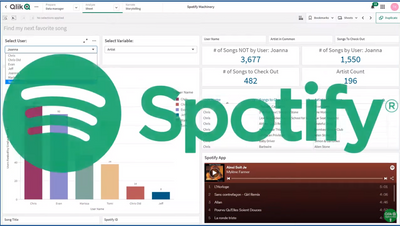
This is an interesting and fun way to showcase not only Qlik Sense's Associative Difference and visualization features, but actually shows you a sample flow from problem to solution that we can all relate to; finding that next music track / artist to listen to.
A question for you all to consider. Is there really one type of Ad-hoc Reporting with Qlik Sense? Read-on to learn how you can "Ad-hoc" with Qlik Sense!
Join me as I introduces you to Qlik’s capabilities that help add context and drive decisions collectively. I will cover some of our latest features including Self-service Reporting via Subscription, Collaborative Notes, chart sharing and more.
Qlik Sense’s self-service visual analytics platform has been compelling in processing and analyzing complex datasets to derive hidden patterns from the data and helping end-users make faster decisions by presenting interactive visualizations. To add to its charisma, Qlik incorporated Conversational Analytics, the “Insight Advisor” — an AI-powered chatbot platform that provides a faster mechanism for users to ask questions and help them discover insights using Natural language Processing(NLP).By blending the robustness of Qlik’s Associative and Cognitive Engine, the Insight Advisor assistant instantly generates relevant answers in the form of narrative texts, visualization charts and recommendations to help users with any level of expertise to maximize their potential when deriving insights. The flexibility to switch between visual and conversational analytics in Qlik Sense seamlessly & without losing context bridges the gap that is often seen with traditional Business Intelligence tools.Ref: https://www.qlik.com/us/products/qlik-sense/aiSo, what are we doing new now?We are bringing the potential of our Cognitive Engine that powers the ‘Insight Advisor’ to the hands of the Developer community with the launch of our new — Natural LanguageAPI.Potential Benefits?Orgs starting out with new automation tools: Develop Qlik Chatbots specific to your company(customized UI) & interact with our cognitive and associative engines.Orgs already using Chatbots: Integrate the NL API to the existing company chatbots/communication platforms(Slack, Teams) and drive the analytical questions through Qlik Sense.Before we delve into the steps and technology stack to build up our first Qlik Chatbot, let me give you a brief idea about a couple of things running behind the scenes of this API.Generally speaking, Natural Language Processing(NLP) comprises of two essential sub-components — Natural Language Understanding(NLU) and Natural Language Generation(NLG) that help in interpreting and generating human language.As the name suggests, NLU is responsible for comprehending and transforming any unstructured data into a structured form that the machine can understand. This is particularly important when it comes to ambiguous texts, for example, texts that are similar but have different meanings and changes with respect to the context. NLG, on the other hand, generates natural language in a human-understandable format based on the machine’s response.So how do these components work together in a ChatBot?Well, like I discussed, the intent of a sentence is first deciphered by the NLU and then the NLG analyzes the data and a response in plain-text is provided back. NLP basically takes the role of an engine for the chatbot that helps in this process of understanding and fetching a response for the user.Alright, let’s visually understand these things from Qlik’s NL API perspective now.As we see, the NLU first reads the sentence — “give me the sales” and then tries to understand the intent and what entity it is. In this case, the entity type is a ‘master_measure’ which aligns with what I have in my Qlik Sense app. The NLG then generates the response in the form of a conversationalResponse property that comprises of the responses type, which in this case is a narrative and the corresponding text “Sales is 23.89M”. This text is returned to the user.Now that we have an understanding of the things running under the hood, let’s explore the API endpoint andunderstand a hypothetical user scenario.API Endpoint:'/api/v1/questions/actions/ask'The Natural Language API is a REST-API that allowsfor asking questions and context aware partial questions against applications enabled for conversational analytics or a specific app to receive Insight Advisor generated responses and suggestions.The motivation behind this blog is to introduce the API to the Developer community and give the much-needed background for developing chatbots. The technical aspects of the API will be discussed elaborately in our official developer site -https://qlik.devUser scenario: A customer wants to build a new Embedded analytics solution that brings in the capabilities of a Qlik Sense Mashup(visualizations from various apps) and would also like to develop and embed a Qlik ChatBot on that same portal. Ultimately what the company wants to achieve is a balance between visual analytics & conversational analytics to allow any level of user(in terms of data literacy) to take full advantage of Qlik’s analytical platform.API Endpoint:'/api/v1/questions/actions/ask'Want to build a Qlik ChatBot?Now that you have an understanding of the technicalities, prerequisites and a hypothetical user scenario where you can possibly apply this new API to, you should be all set to start building your own customized Qlik Bot.Prerequisites:Register for a subscription on Qlik Sense SaaS.Create a new web integration from the Management console.Create an API key.Enable apps for Insight Advisor chat.To make implementation easier for the Developer community, we have created a tutorial required to build your first Qlik Bot using NodeJS in our Official Developer site - https://qlik.dev.Hopefully, the tutorial will serve as a boilerplate for the future development of chatbots using the Natural Language API.Tried out the Natural Language API and developed your own cool Qlik Bots?? Share with us in the comments your GitHub link or tag me on LinkedIn(https://www.linkedin.com/in/dipankar-mazumdar/)
...View More
"......there are common functional needs to solve the acquisition and transformation of data before getting it into the hands of your data literate consumers. "
We did again! Qlik is the official partner of the Fortune 500 list for second year!This year the famous Fortune 500 list was, as the rest of us, impacted by the effects of the economic crisis that followed the COVID-19 pandemic, and obviously so was the piece Qlik and Fortune team did together. We named it “The pandemic effect of the Fortune 500”.We wanted to start by looking back in time and check how a crisis looks like, we wanted to see how long it takes for the economy to recover after a crisis, how many years apart are the crisis, etc.Did you know that someone born in the year 2000 have spend almost 75% of her life in an economic crisis (or recovering from one)? The numbers relax as we move back in time, but for someone born in 1955, still the 45% of his lifetime was lived during a crisis (or recovering from one).When we look at the profits of the companies that make the Fortune 500 list, we can see some acute dips in the line that shows the evolution of the indicator. For example, the 2007-2008 global financial crisis had a lasting effect on the profits in the listed companies. It took five years for the profits to reach levels pre-crisis.Another interesting angle is to see how similar the recent crises are as they shape the profits of the Fortune 500 list. We plotted the last 5 crises in a chart, to make the comparison useful, we picked the lower point of the trend as our reference point and we did set it up as the year 0 of the crisis, then we looked back and forward (when available).Looking at the effects of the COVID19 economical impact of the Fortune 500 list by sector, we can see that not all sectors have been impacted equally and in fact some of them show an increase in their profits and revenue during the worst of the pandemic. Healthcare, Retailing, and Technology among other sectors. The worst of the economical crisis caused by COVID19 was for the energy sector that took a hard hit on both revenue and profits.Finally, we drilled down into the Energy sector to understand better how the industries and the companies within performed last year.Don't forget to check our collaboration with the Fortune 500 list.I hope you like it and find it interesting.
...View More
Hi GuysBe sure to register this week to watch and learn about Qlik Sense Mobile presented by myself and special guest Qlik Product Manager@Caique_Zaniolohttps://go.qlik.com/Do_More_with_Qlik_Webinar_Series-June10_Registration-LP.html?sourceID1=mtocomm610Did you know that can bring your most important analytics front and center in the Qlik Sense Mobile Hub? Learn about Chart Monitoring and more on the next DO More with Qlik.This week! June 10th at 2PM ET.
...View More
You are a Qlik coder and for the past 3 years you have built so many mashups, extensions, and widgets using Qlik’s Capability API. It is your Swiss army knife in the jungle until one day you read a blog about enigma.js. You are wondering if enigma.js is a better tool than the Capability API. Well, why not give it a try?