Unlock a world of possibilities! Login now and discover the exclusive benefits awaiting you.

- Qlik Community
- :
- All Forums
- :
- QlikView
- :
- Qlikview v11 vs v12 Pivot Table Conditional Format...
- Subscribe to RSS Feed
- Mark Topic as New
- Mark Topic as Read
- Float this Topic for Current User
- Bookmark
- Subscribe
- Mute
- Printer Friendly Page

 jcampbell474
- Mark as New
- Bookmark
- Subscribe
- Mute
- Subscribe to RSS Feed
- Permalink
- Report Inappropriate Content
Qlikview v11 vs v12 Pivot Table Conditional Formatting
We just upgraded from Qlikview v11 to v12.20 and came across an issue. I need to learn what is happening, and why. Also, what is the best way to fix it? Can anyone help?
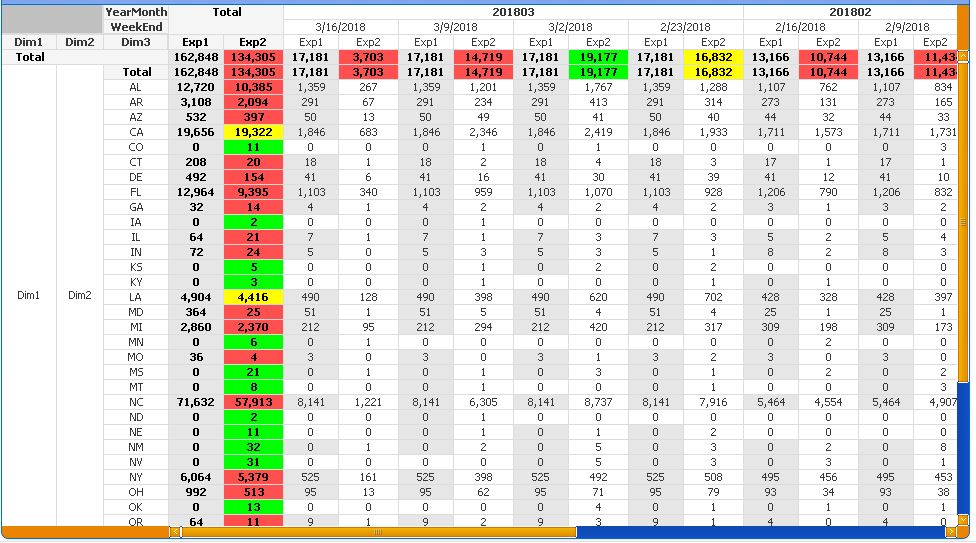
The issue: In QV 11, we had a pivot table with conditional formatting on the row and column totals, only. I still have QV11 on my Desktop (we remote in to the servers to work/develop in v12). The 1st screenshot is the v11 app (again, only row/column totals are conditionally formatted (using the query, below).)
In QV 12, something happens with the colunno(). The column number in one column can vary quite a bit.
Here is the query used in the Exp2 background:
=if((rowno()=0 or isNull(rowno())or ColumnNo()=0 or isNull(ColumnNo())) and
Sum(Exp2)/sum(Exp1)-1>.00,rgb(0,255,0),
if((rowno()=0 or isNull(rowno())or ColumnNo()=0 or isNull(ColumnNo())) and
Sum(Exp2)/sum(Exp1)-1>-.1,rgb(255,255,0),
if((rowno()=0 or isNull(rowno())or ColumnNo()=0 or isNull(ColumnNo())) and
Sum(Exp2)/sum(Exp1)-1<=-.1,rgb(255,80,80)
,if((rowno()=0 or isNull(rowno())or ColumnNo()=0 or isNull(ColumnNo())), rgb(0,255,0)))))
v11, Row and Column totals have custom formatting applied by the query shown above:
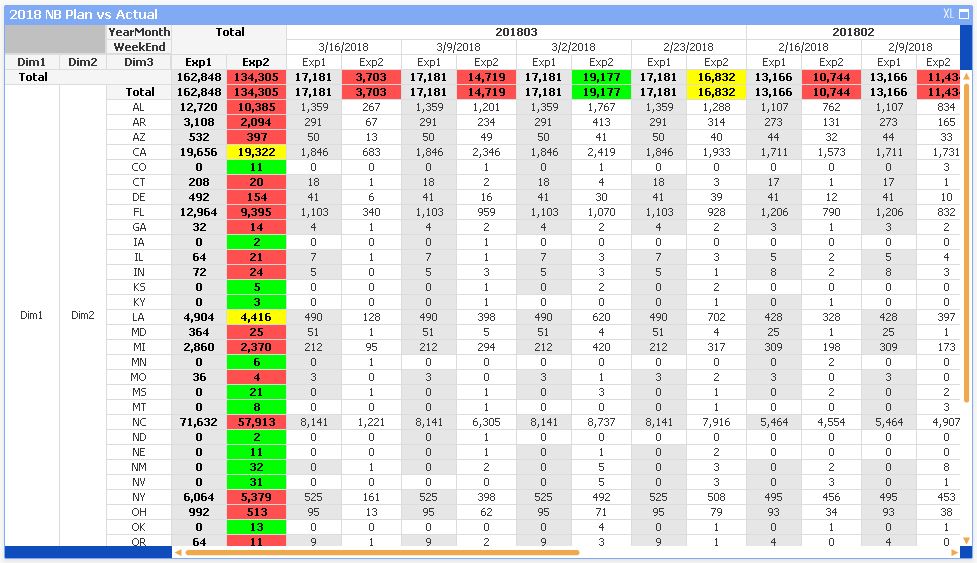
v12, Same query as above, but the columnno() causes formatting to be applied everywhere.
Accepted Solutions

 rwunderlich
- Mark as New
- Bookmark
- Subscribe
- Mute
- Subscribe to RSS Feed
- Permalink
- Report Inappropriate Content
Offhand I can't explain the difference between V11 and V12 here. But I would typically use Dimensionality() and SecondaryDimensionality() functions to detect total rows in a pivot table, not RowNo().
-Rob
jcampbell474
- Mark as New
- Bookmark
- Subscribe
- Mute
- Subscribe to RSS Feed
- Permalink
- Report Inappropriate Content
Update. 'Query' should be replaced with 'Expression' in my initial post.
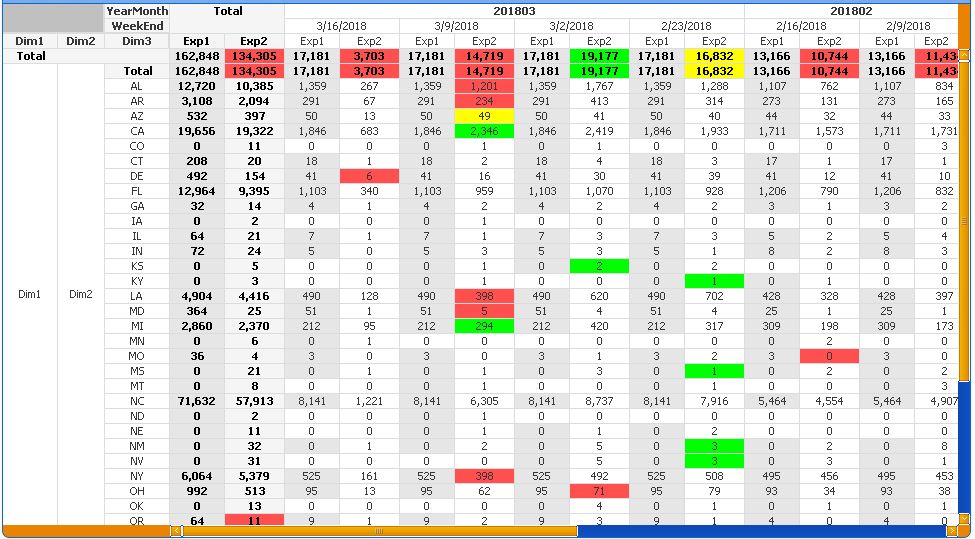
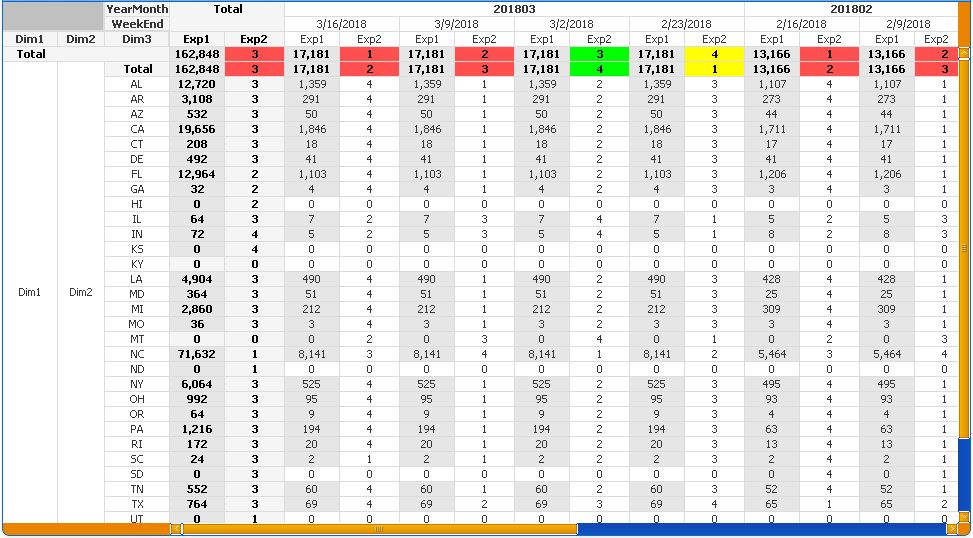
I also updated Exp2 to show the columnno() in v11 vs. v12. Why does v12 interpret it differently?
v11:
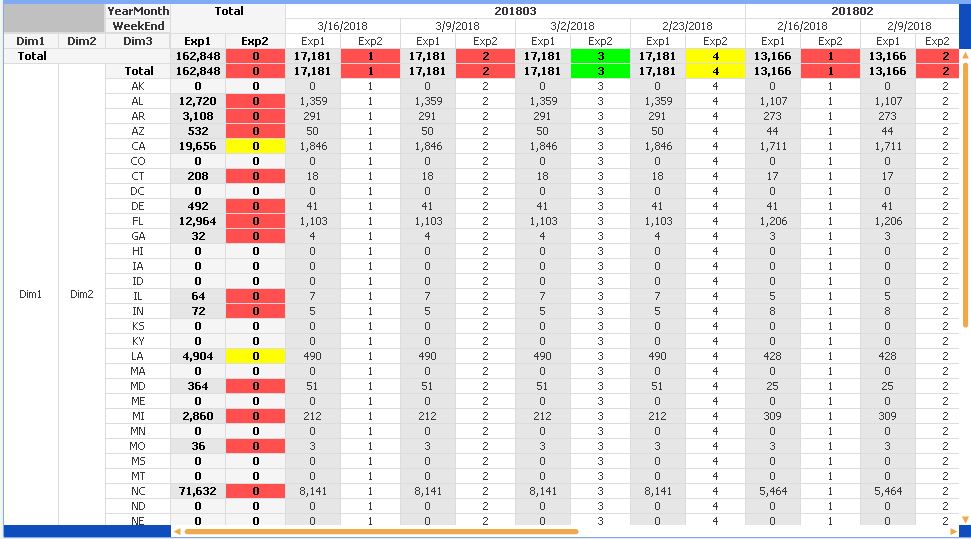
v12:
rwunderlich
- Mark as New
- Bookmark
- Subscribe
- Mute
- Subscribe to RSS Feed
- Permalink
- Report Inappropriate Content
Offhand I can't explain the difference between V11 and V12 here. But I would typically use Dimensionality() and SecondaryDimensionality() functions to detect total rows in a pivot table, not RowNo().
-Rob
jcampbell474
- Mark as New
- Bookmark
- Subscribe
- Mute
- Subscribe to RSS Feed
- Permalink
- Report Inappropriate Content
Thank you, Rob. That did it. I'll continue to search for an understanding of the v11 vs v12 columnno() differences.
I used this expression in v12 and it now has the formatting we need. Again, thank you!
=if((Dimensionality()=0 or Dimensionality()=2 or SecondaryDimensionality()=0) and Sum(Exp2)/sum(Exp1)-1>.00,rgb(0,255,0),
if((Dimensionality()=0 or Dimensionality()=2 or SecondaryDimensionality()=0) and Sum(Exp2)/sum(Exp1)-1>-.1,rgb(255,255,0),
if((Dimensionality()=0 or Dimensionality()=2 or SecondaryDimensionality()=0) and Sum(Exp2)/sum(Exp1)-1<=-.1,rgb(255,80,80),
if((Dimensionality()=0 or Dimensionality()=2 or SecondaryDimensionality()=0), rgb(0,255,0)))))