Unlock a world of possibilities! Login now and discover the exclusive benefits awaiting you.

Announcements
Share your agentic AI experience, learn from others, and earn a new badge: Put Agentic AI to Work
- Qlik Community
- :
- All Forums
- :
- QlikView
- :
- class function
Options
- Subscribe to RSS Feed
- Mark Topic as New
- Mark Topic as Read
- Float this Topic for Current User
- Bookmark
- Subscribe
- Mute
- Printer Friendly Page
Turn on suggestions
Auto-suggest helps you quickly narrow down your search results by suggesting possible matches as you type.
Showing results for

Not applicable
2012-08-29
06:41 AM
- Mark as New
- Bookmark
- Subscribe
- Mute
- Subscribe to RSS Feed
- Permalink
- Report Inappropriate Content
class function
How can i remove the '<=' and '>' sign from the result of the class function? Attachaing image for the reference. The formula i have used is:
class(ptn_age, 10).

825 Views
2 Replies

 jonathandienst
Partner - Champion III
2012-08-29
06:54 AM
- Mark as New
- Bookmark
- Subscribe
- Mute
- Subscribe to RSS Feed
- Permalink
- Report Inappropriate Content
Hi
How about Replace?
Replace(Class(ptn_age, 10), '<=x<', '-')
for the dimension or in script?
Regards
Jonathan
Logic will get you from a to b. Imagination will take you everywhere. - A Einstein
588 Views
Not applicable
2012-08-29
07:02 AM
Author
- Mark as New
- Bookmark
- Subscribe
- Mute
- Subscribe to RSS Feed
- Permalink
- Report Inappropriate Content
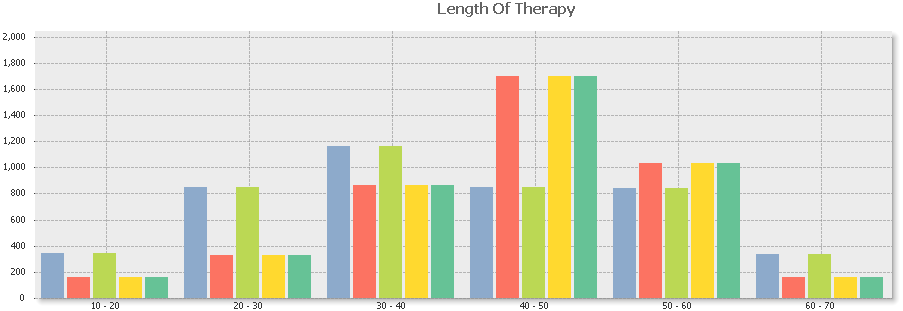
Thanks Jonathan for the reply, it worked. Now, one more thing, when i am sorting my dimension values on the basis of numerical value, it is giving me the wrong sort order but when i sort them on the basis of their text value, then it is giving me the right sort order.
Can you explain why?
Images Attached........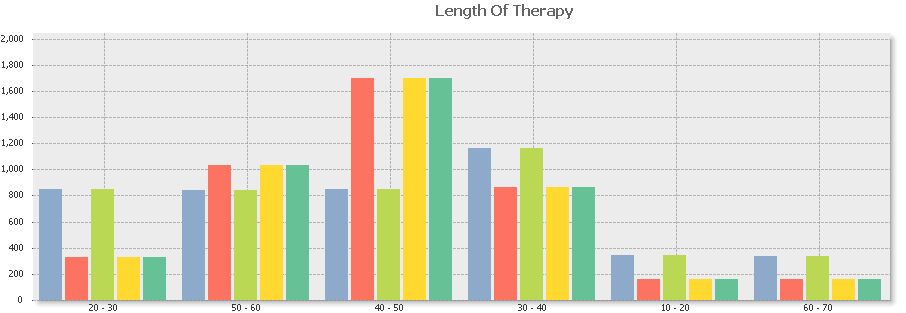
588 Views