Unlock a world of possibilities! Login now and discover the exclusive benefits awaiting you.

- Qlik Community
- :
- All Forums
- :
- QlikView
- :
- timestamp format
- Subscribe to RSS Feed
- Mark Topic as New
- Mark Topic as Read
- Float this Topic for Current User
- Bookmark
- Subscribe
- Mute
- Printer Friendly Page

- Mark as New
- Bookmark
- Subscribe
- Mute
- Subscribe to RSS Feed
- Permalink
- Report Inappropriate Content
timestamp format
Hi guys,
How can I get a date in format YYYY-MM-DD h:mm:ss TT?
=If(Auto_Id=1519,Timestamp((num(date#(TimeStamp, 'YYYY-MM-DD h:mm:ss[.fff] TT'))-0.0417)), 'YYYY-MM-DD h:mm:ss[.fff] TT')
I got in result 9/13/2015 2:40:49 AM
Thanks,

 MK_QSL
- Mark as New
- Bookmark
- Subscribe
- Mute
- Subscribe to RSS Feed
- Permalink
- Report Inappropriate Content
What is the format of your TimeStamp field?
- Mark as New
- Bookmark
- Subscribe
- Mute
- Subscribe to RSS Feed
- Permalink
- Report Inappropriate Content
'2015-09-13 3:42:09 AM'
- Mark as New
- Bookmark
- Subscribe
- Mute
- Subscribe to RSS Feed
- Permalink
- Report Inappropriate Content
I got it
Timestamp((num(date#(TimeStamp, 'YYYY-MM-DD h:mm:ss[.fff] TT'))-0.0417),'YYYY-MM-DD hh:mm:ss TT' )
just remove .[fff]
MK_QSL
- Mark as New
- Bookmark
- Subscribe
- Mute
- Subscribe to RSS Feed
- Permalink
- Report Inappropriate Content
=TimeStamp(TimeStamp# ('2015-09-13 3:42:09 AM','YYYY-MM-DD h:mm:ss TT')-0.0417,'YYYY-MM-DD h:mm:ss TT')
 maxgro
- Mark as New
- Bookmark
- Subscribe
- Mute
- Subscribe to RSS Feed
- Permalink
- Report Inappropriate Content
replace '9/13/2015 2:40:49 AM' with your field
=Timestamp(Timestamp#('9/13/2015 2:40:49 AM', 'MM/DD/YYYY hh:mm:ss TT'), 'YYYY-MM-DD h:mm:ss TT')
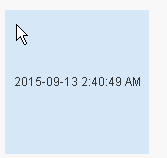
the bold part is from text to num (interpretation function, Timestamp#)
the non bold part is from num to text (formatting function (Timestamp)
more here