Unlock a world of possibilities! Login now and discover the exclusive benefits awaiting you.

- Qlik Community
- :
- All Forums
- :
- Qlik NPrinting
- :
- How to speed up excel report generation if using c...
- Subscribe to RSS Feed
- Mark Topic as New
- Mark Topic as Read
- Float this Topic for Current User
- Bookmark
- Subscribe
- Mute
- Printer Friendly Page

 aeveltstra
- Mark as New
- Bookmark
- Subscribe
- Mute
- Subscribe to RSS Feed
- Permalink
- Report Inappropriate Content
How to speed up excel report generation if using custom conditional formatting rules
We are using QlikView and Qlik NPrinting to generate Microsoft Excel spreadsheets. Our client wants to apply custom conditional formatting rules. But doing so, severely slows down report generation. And by severely, I mean the duration went up from a couple minutes to a couple hours.
I thought, wrongly, that Microsoft Excel's limitations are at the heart of the problem, and they need to fix their product. I have outlined my argumentation in this article:
But in the meantime I'm looking for a way to speed up report generation that allows me to continue to use custom conditional formatting rules.
We have 1 dedicated Qlik server and 1 separate dedicated NPrinting server. The Qlik document reloads data in like 3 seconds from a qvd that reloads in about 2.5 minutes. It only holds the data needed for NPrinting: no further filtering or cycling is needed or applied. There is no section access, no data reduction, and no triggers. The NPrinting server successfully caches the document's metadata from the Qlik server using the qvp protocol.
I'm in full control of every part of the documents, installation, and configuration.
Please advise?


- « Previous Replies
- Next Replies »
Accepted Solutions

 Frank_S
- Mark as New
- Bookmark
- Subscribe
- Mute
- Subscribe to RSS Feed
- Permalink
- Report Inappropriate Content
Well I may have made that last comment too quickly.
There is no need to submit a support request afterall.
The solution is quite simple.
You simple need to
- open a local copy of the QVW
- go to the 'server' tab
- deselect 'enable push from server'
- save the QVW and reload your NPrinting connection using QVP
- rerun the publish task

You will find that it is working in about 3 minutes approximately in your current version of NPrinting.

I will write an article about this.
In the meantime, note that your version of NPrinting should have the fix but it doesn't seem to be working as expected. Current versions of NPrinting do have much better success where ;enable push from server; is used (testing in May 2021 SR 4 using your report and it took 17 minutes with enable push from server and only 1 minutes with 'enable push from server deselected).
So no need for a support request after all.
Upgrading to current versions of NPrinting will improve performance with out changing this setting but you can resolve this today by following the above steps and deselecting 'enable push from server'
Kind regards...
Frank_S
- Mark as New
- Bookmark
- Subscribe
- Mute
- Subscribe to RSS Feed
- Permalink
- Report Inappropriate Content
We appreciate the well-documented details!
Do you have a test NP report and test QVW that we can use to test this in May 2022 release of NPrinting?
Or conversely, you may wish to set up and May 2022 NPrinting Test Server deployment and try it there.
Perhaps the performance in NP May 2022 might improve the overall report generation.
Keep in mind to ensure that your QV server has sufficient resources since the heavy lifting of report processing is offloaded to the QV server when QVP connections are used. (The NP engine computer should also be monitored for hardware resource utilization. If it is getting maxed out consistently (or when this report is generated), you may wish to consider added system hardware resources accordingly.
Finally, if your QVW contains charts which in turn contain heavy usages of for example:
- Calculated Dimensions
- Conditional Columns
Would recommend moving as much of these (if any that is) to the load script where possible to further mitigate potential performance latency issues.
Please also note that calculated dimensions are not supported for use with levels and pages in the NP designer.
Kind regards...
aeveltstra
- Mark as New
- Bookmark
- Subscribe
- Mute
- Subscribe to RSS Feed
- Permalink
- Report Inappropriate Content
Hello!
Yes, I have available an Nprinting template and a QVW and the QVDs on which it is based.
I can share them tomorrow.
Yes, I can make time to set up an NPrinting test server.
I will review the other hints and see to implementing as many as possible.
Thank you,
André
Frank_S
- Mark as New
- Bookmark
- Subscribe
- Mute
- Subscribe to RSS Feed
- Permalink
- Report Inappropriate Content
No worries!
#ICYMI
New download site here:
aeveltstra
- Mark as New
- Bookmark
- Subscribe
- Mute
- Subscribe to RSS Feed
- Permalink
- Report Inappropriate Content
Please find attached the QVW that is used as the data input and the charts source for the NPrinting excel template, also attached.
Frank_S
- Mark as New
- Bookmark
- Subscribe
- Mute
- Subscribe to RSS Feed
- Permalink
- Report Inappropriate Content
Great!
I downloaded, then removed the files from the post in case there is any sensitive information associated with them.
Will test today if possible..thanks!
Frank_S
- Mark as New
- Bookmark
- Subscribe
- Mute
- Subscribe to RSS Feed
- Permalink
- Report Inappropriate Content
@aeveltstra
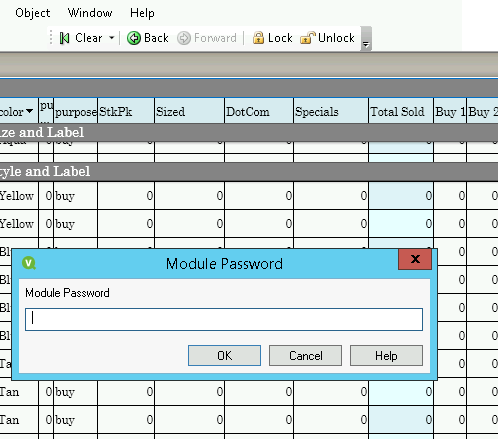
Inspecting your file I found that you have a module password on what might appear to be protecting a macro.
If you do have a macro I suggest.
1. Removing the password first
2. Removing the macro entirely on your NPrinting reporting QVW.
This could be contributing to the issue.
Frank_S
- Mark as New
- Bookmark
- Subscribe
- Mute
- Subscribe to RSS Feed
- Permalink
- Report Inappropriate Content
I found two more problems:
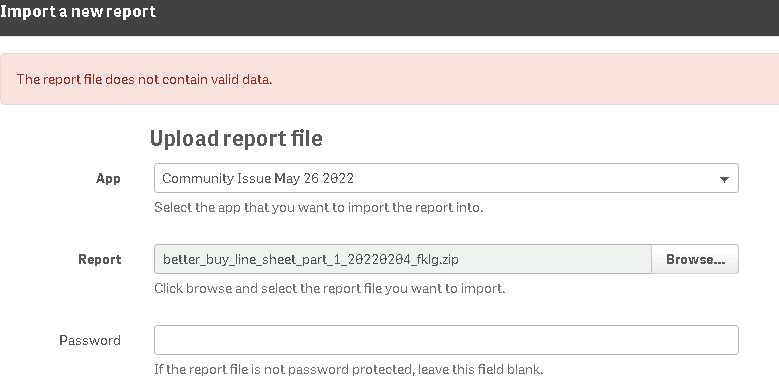
When attempting to import the report, I got the following:
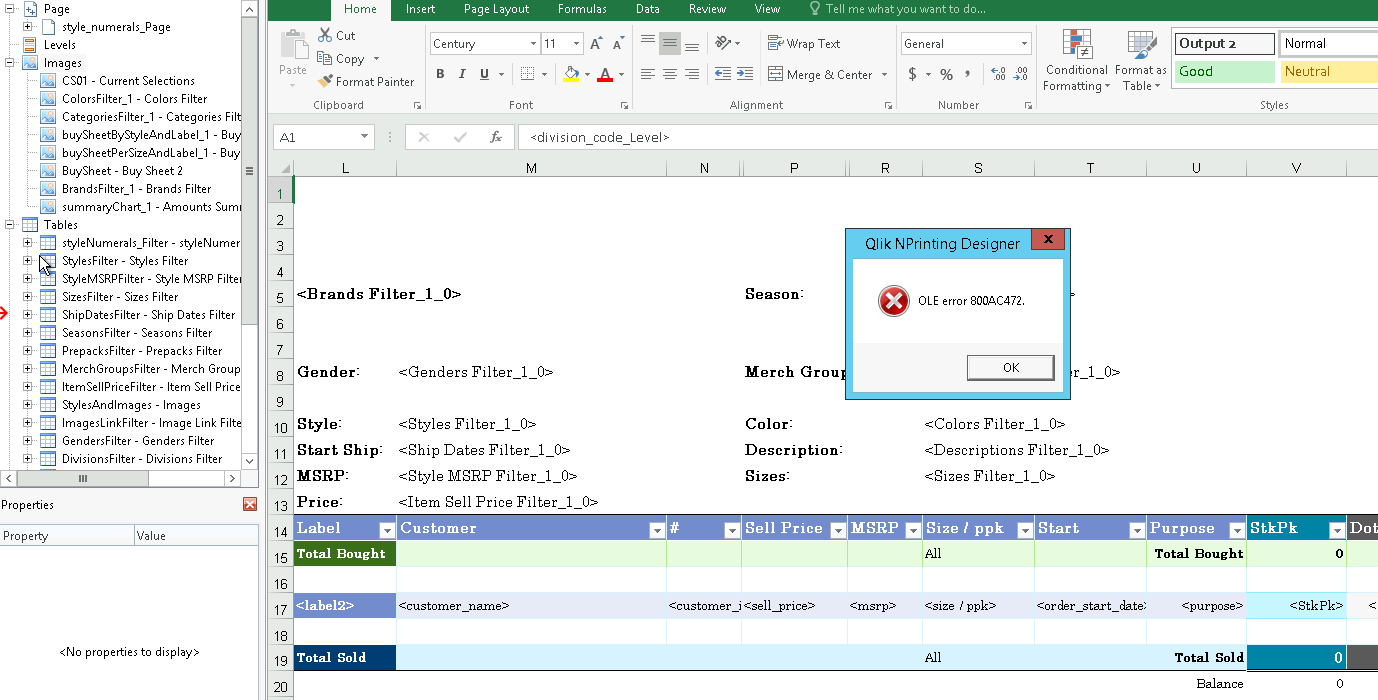
When importing images to a test report, I got the following:
So it seems there are many possible problems here.
1. Use of a macro in the QVW. Remove the macro password and the macro itself.
2. Problem with the source data, it may have changed and should be updated in the NPrinting report by right-clicking on each table object on the left side of the designer and choosing 'update' from the context menu
3 It's not possible to import the report indicating other problems potential/unknown problems within the report. Possible that the report itself may have become corrupted.
Further, I did notice you are using merged fields as well.
Note that we have resolved some problems with use of merged fields in current versions of NPrinting
So in conclusion, here are my suggestions.
- Update your table chart objects in your current report template.
- Remove QVW macro and macro password.
If these do not work then suggest that you may consider:
- Upgrading or Testing in an upgraded version of NPrinting. I suggest first restoring your NP database to another Sept. 2020 test NP server, then upgrading that test server to a May 2022 NPrinting server. If that doesn't solve the issue
- Consider rebuilding the report entirely as it may have become corrupted if this issue persists after taking all the above actions.
Kind regards...
aeveltstra
- Mark as New
- Bookmark
- Subscribe
- Mute
- Subscribe to RSS Feed
- Permalink
- Report Inappropriate Content
OK. I removed the module password. There is no macro, no trigger.
aeveltstra
- Mark as New
- Bookmark
- Subscribe
- Mute
- Subscribe to RSS Feed
- Permalink
- Report Inappropriate Content
I'll review the report connection to the data objects. I didn't get the same errors you got, but I'll double-check nonetheless.
There was no macro but I have removed the module password, have explicitly unset variables, and removed some unused variables. I also removed conditional chart formatting in the QVWs that are used as an NPrinting source.
I have rebuilt these reports many a time, imported and exported them many a time, without fail.
I really don't want to rebuild them from scratch as they take a lot of work. But if that's the only way forward, then that is what will happen.

- « Previous Replies
- Next Replies »