Unlock a world of possibilities! Login now and discover the exclusive benefits awaiting you.

- Qlik Community
- :
- All Forums
- :
- QlikView
- :
- Re: Background Color
- Subscribe to RSS Feed
- Mark Topic as New
- Mark Topic as Read
- Float this Topic for Current User
- Bookmark
- Subscribe
- Mute
- Printer Friendly Page

 paulwalker
- Mark as New
- Bookmark
- Subscribe
- Mute
- Subscribe to RSS Feed
- Permalink
- Report Inappropriate Content
Background Color
Hi All,
I have developed one chart ..
How to give bubble color..
Suppose I have 2 expressions..
Dimension: Customer
1. Sum(sales)/Sum(Total Amout)
2. Sum(revenue)
Suppose if
Donna Mitchell 0-50 % = red
51-60% Green
61-100% Yellow
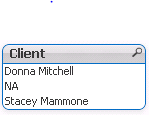
How to assign colors??
Thanks...
- « Previous Replies
-
- 1
- 2
- Next Replies »
Accepted Solutions

 settu_periasamy
- Mark as New
- Bookmark
- Subscribe
- Mute
- Subscribe to RSS Feed
- Permalink
- Report Inappropriate Content
You can try like below (in the target expression -> Background Color) - like wise you change the color based on your client
Check the Attachment


 Chanty4u
- Mark as New
- Bookmark
- Subscribe
- Mute
- Subscribe to RSS Feed
- Permalink
- Report Inappropriate Content
=if(client='[Donna Mitchell]' ,0-50% Red() and 51-60% Green(),Yellow())
paulwalker
- Mark as New
- Bookmark
- Subscribe
- Mute
- Subscribe to RSS Feed
- Permalink
- Report Inappropriate Content
I have to give Percentage wise colors
Suppose
Client= 'A', 0-50%, red
Client='A', 51-60%, green..
Client='A', 61-100%, Yellow
Thanks in Advance
 amayuresh
- Mark as New
- Bookmark
- Subscribe
- Mute
- Subscribe to RSS Feed
- Permalink
- Report Inappropriate Content
Is percentage is varying from Client to Client or same for all Client ?
 Kushal_Chawda
- Mark as New
- Bookmark
- Subscribe
- Mute
- Subscribe to RSS Feed
- Permalink
- Report Inappropriate Content
Click on + sign of expression Sum(sales)/Sum(Total Amout) , put below expression in background color
=if((Sum(sales)/Sum(Total Amout))>= 0 and (Sum(sales)/Sum(Total Amout)) <= 0.5, red(),
if((Sum(sales)/Sum(Total Amout))> 0.5 and (Sum(sales)/Sum(Total Amout)) <= 0.6, green(),
if((Sum(sales)/Sum(Total Amout))> 0.6 and (Sum(sales)/Sum(Total Amout)) <= 1, Yellow())))
paulwalker
- Mark as New
- Bookmark
- Subscribe
- Mute
- Subscribe to RSS Feed
- Permalink
- Report Inappropriate Content
Thanks for Quick response.
1. Dimension (Customer)
Expressions(Sum(sales)/Sum(Total Amout) and Sum(revenue))
Client dimension I am not using in Chart..
I have written like this..
=if(CLient='A'>= 0 and Client='A' <= 0.5, red(),
if(Client='A'> 0.5 and Client=A'<= 0.6, green(),
if(Client='A'> 0.6 and Client='A' <= 1, Yellow()))),
if(CLient='B'>= 0.2 and Client='B' <= 0.6, red(),
if(Client='B'> 0.6 and Client=B'<= 0.8, green(),
if(Client='B'> 0.8 and Client='B' <= 1, Yellow())))
But it's not working .... Anything wrong here ??
Kushal_Chawda
- Mark as New
- Bookmark
- Subscribe
- Mute
- Subscribe to RSS Feed
- Permalink
- Report Inappropriate Content
try this
if(aggr(Sum(sales)/Sum(Total Amout),Client)>= 0 and aggr(Sum(sales)/Sum(Total Amout),Client) <= 0.5, red(),
if(aggr(Sum(sales)/Sum(Total Amout),Client)> 0.5 and aggr(Sum(sales)/Sum(Total Amout),Client)<= 0.6, green(),
if(aggr(Sum(sales)/Sum(Total Amout),Client)> 0.6 and aggr(Sum(sales)/Sum(Total Amout),Client) <= 1, Yellow())))
Chanty4u
- Mark as New
- Bookmark
- Subscribe
- Mute
- Subscribe to RSS Feed
- Permalink
- Report Inappropriate Content
what it is showng?
I think there is less values....so its not showng exctly?
paulwalker
- Mark as New
- Bookmark
- Subscribe
- Mute
- Subscribe to RSS Feed
- Permalink
- Report Inappropriate Content
Hi Kush,
I have different percentages for colors.
Client=A, (0-50,51-60,61-100)
Client=B (40-50, 51-65, 66-100)
Thanks ,...
paulwalker
- Mark as New
- Bookmark
- Subscribe
- Mute
- Subscribe to RSS Feed
- Permalink
- Report Inappropriate Content
Any possibility???

- « Previous Replies
-
- 1
- 2
- Next Replies »