Unlock a world of possibilities! Login now and discover the exclusive benefits awaiting you.

- Qlik Community
- :
- All Forums
- :
- QlikView
- :
- Re: List Box - Always one selected value disabled
- Subscribe to RSS Feed
- Mark Topic as New
- Mark Topic as Read
- Float this Topic for Current User
- Bookmark
- Subscribe
- Mute
- Printer Friendly Page

- Mark as New
- Bookmark
- Subscribe
- Mute
- Subscribe to RSS Feed
- Permalink
- Report Inappropriate Content
List Box - Always one selected value disabled
The option on the List Box Always one selected value is still disabled even after selecting one value before showing the properties.
would there be another settings or options to enable this setting?
The values are from a Inline table.
Thanks for you help.
- « Previous Replies
-
- 1
- 2
- Next Replies »

 jagan
jagan
- Mark as New
- Bookmark
- Subscribe
- Mute
- Subscribe to RSS Feed
- Permalink
- Report Inappropriate Content
Hi,
If you using the field as expression then the option is not enabled.
Regards,
Jagan.

 hetolpin
- Mark as New
- Bookmark
- Subscribe
- Mute
- Subscribe to RSS Feed
- Permalink
- Report Inappropriate Content
Hi
Are you using alternate states? If so, try this:
1. Create your listbox on a sheet which is set to the default <inherited> state
2. Select one value
3. Open properties, tick Always One Selected Value
4. Cut and paste the listbox to the sheet with the alternate state
Best regards,
Henning
- Mark as New
- Bookmark
- Subscribe
- Mute
- Subscribe to RSS Feed
- Permalink
- Report Inappropriate Content
check default state(inherited)
and do like this or if not works pls send screen shot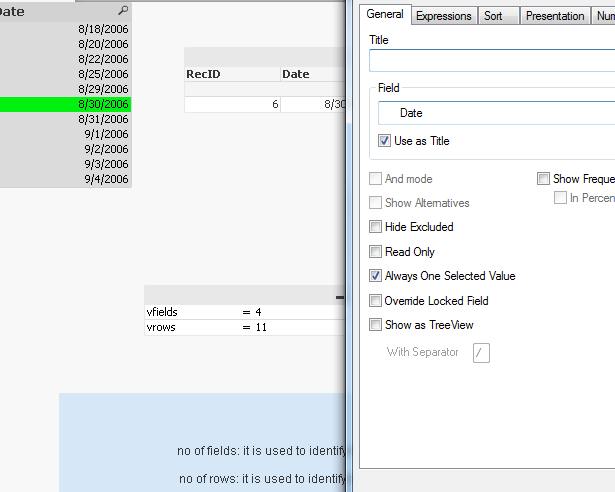
- « Previous Replies
-
- 1
- 2
- Next Replies »