Unlock a world of possibilities! Login now and discover the exclusive benefits awaiting you.

- Qlik Community
- :
- All Forums
- :
- QlikView
- :
- Secure site in Qlikview
- Subscribe to RSS Feed
- Mark Topic as New
- Mark Topic as Read
- Float this Topic for Current User
- Bookmark
- Subscribe
- Mute
- Printer Friendly Page

- Mark as New
- Bookmark
- Subscribe
- Mute
- Subscribe to RSS Feed
- Permalink
- Report Inappropriate Content
Secure site in Qlikview
good morning
I hope you can help me...
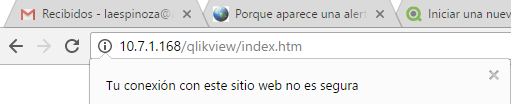
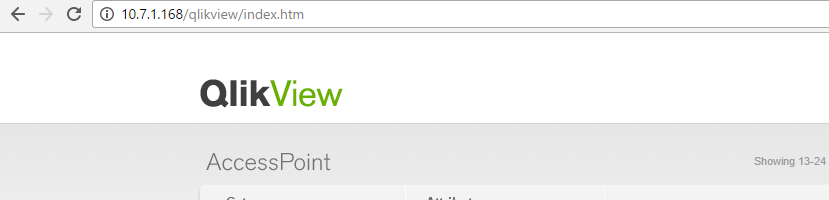
When I access the Access Point to see a Dashboard in qlikview I get a message that is not a secure site
Someone knows why or how I configure it to make this site secure
thanks
regards
Luis Espinoza

 devarasu07
- Mark as New
- Bookmark
- Subscribe
- Mute
- Subscribe to RSS Feed
- Permalink
- Report Inappropriate Content
Hi,
Try to configure SSL (check with your DNS Server /Active Directory team for SSL certificate root path, certificate file etc,.)
Enable SSL - QlikView Webserver
Tks, Deva
 ramasaisaksoft
- Mark as New
- Bookmark
- Subscribe
- Mute
- Subscribe to RSS Feed
- Permalink
- Report Inappropriate Content
Hi,
Can you do some modifications in Browser settings
Go to IE(Internet Explorer)-->Internet Options-->Security-->Trusted Sites-->Click on Sites Button-->
Add your Access Point URL -->click on OK/Close so that browser will know this is a Trusted site.
else
1) Server Manager - Roles - Web Server (IIS) - Add Role Services --> Windows Authentication
2) IIS Manager - Default Web Site - Authentication --> Enable [Windows Authentication]
3) Restart the Default Web Site
Then try http://localhost/qlikview/ , you should see the QV files.
if you feel you got the solution ,please close the thread by clicking "Correct Answer".