Unlock a world of possibilities! Login now and discover the exclusive benefits awaiting you.

- Qlik Community
- :
- All Forums
- :
- QlikView
- :
- Re: Temp Table in Macro
- Subscribe to RSS Feed
- Mark Topic as New
- Mark Topic as Read
- Float this Topic for Current User
- Bookmark
- Subscribe
- Mute
- Printer Friendly Page

- Mark as New
- Bookmark
- Subscribe
- Mute
- Subscribe to RSS Feed
- Permalink
- Report Inappropriate Content
Temp Table in Macro
Hi Guys can i create a temp table inside a macro .... ??? i do not want to make it in Qlikview Data model or in some other database. Just want to store some values in a field ????? Or may be can i store the values in some field using macro
- Tags:
- qlikview_scripting

 christian77
- Mark as New
- Bookmark
- Subscribe
- Mute
- Subscribe to RSS Feed
- Permalink
- Report Inappropriate Content
Yes it's possible to modify QV data model tables with a macro.
You also can use variables from the variable panel in the macro module.
Rem Dynamic Data Update
sub Update
SET Result = ActiveDocument.DynamicUpdateCommand ("UPDATE * SET Discount = if(Discount >= 35, 0, if (City='Stockholm', Discount + 5, Discount + 2)) WHERE Country = 'SE'")
if Result = false then
MsgBox Result.ErrorMessage
end if
end sub
sub Insert
SET Result = ActiveDocument.DynamicUpdateCommand ("INSERT INTO * (Country, City) VALUES (DK, Copenhagen), (NO, Oslo)")
if Result = false then
MsgBox Result.ErrorMessage
end if
end sub
sub Delete
SET Result = ActiveDocument.DynamicUpdateCommand ("DELETE FROM CITY WHERE IsNull (Discount)")
if Result = false then
MsgBox Result.ErrorMessage
end if
end sub
You need the APIGuide.
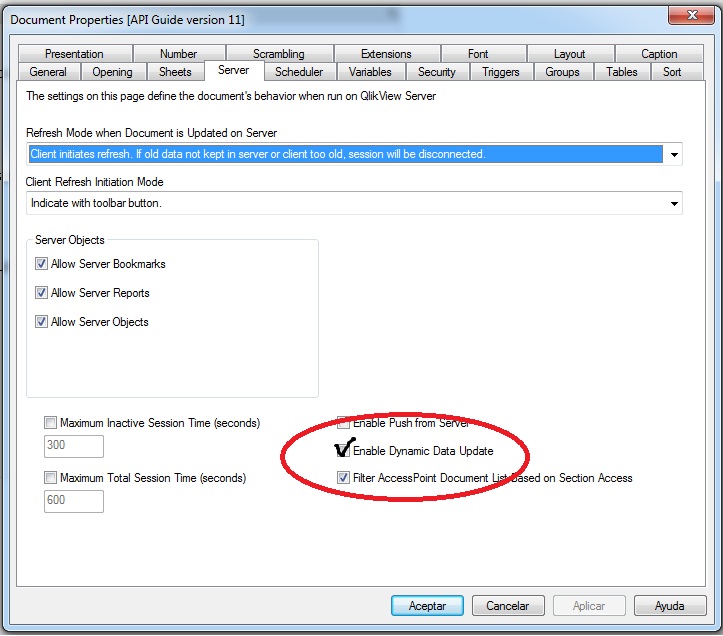
christian77
- Mark as New
- Bookmark
- Subscribe
- Mute
- Subscribe to RSS Feed
- Permalink
- Report Inappropriate Content
also, you can load a table from anywhere and then state the clause:
Drop Table TableName;
Drop field from table ...;
Drop fields ...; Drop Tables ...;
in the script.
- Mark as New
- Bookmark
- Subscribe
- Mute
- Subscribe to RSS Feed
- Permalink
- Report Inappropriate Content
Hi Christian
Thanks for the quick reply but still the field is not getting updated ....
am i missing something .. ??????
- Mark as New
- Bookmark
- Subscribe
- Mute
- Subscribe to RSS Feed
- Permalink
- Report Inappropriate Content
Hey Christan
I am able to update the field but when i am doing a refersh .. the value is getting back to the old value...
but i do not want that .. is it possible???
christian77
- Mark as New
- Bookmark
- Subscribe
- Mute
- Subscribe to RSS Feed
- Permalink
- Report Inappropriate Content
Ok. Refresh means reload. Of course, what did you expect with a new reload?
Listen,
When you update your table, export it to a qvd or txt or whatever in the same macro.
You can export only what you want and concatenate in the next refresh (reload)
luck