Unlock a world of possibilities! Login now and discover the exclusive benefits awaiting you.

Qlik Gallery is meant to encourage Qlikkies everywhere to share their progress – from a first Qlik app – to a favorite Qlik app – and everything in-between.

Sunburst charts are greatly useful for visualizing hierarchical data. Explore their major features in this demonstration app powered by AnyChart's Sunburst Chart extension for Qlik Sense.

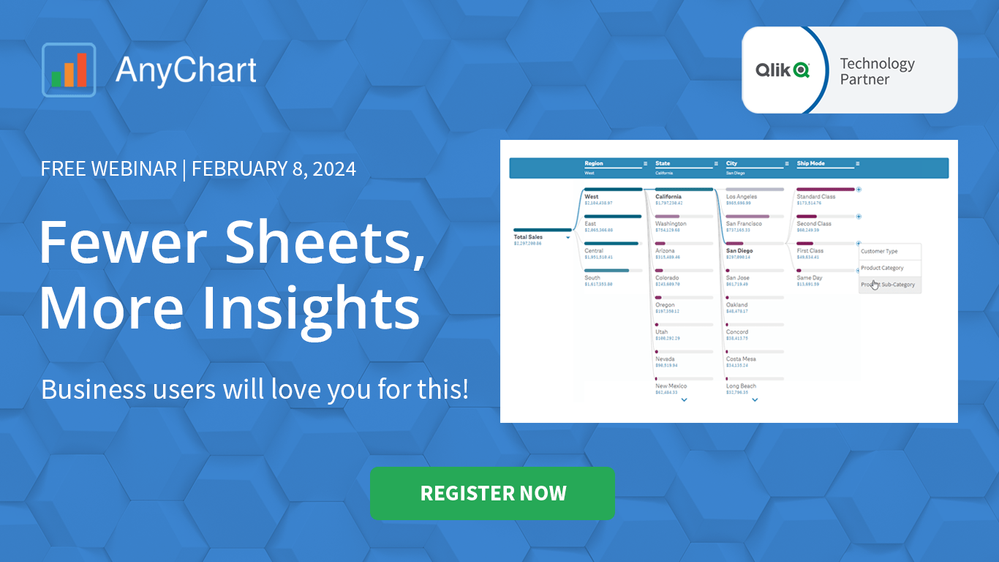
Unlock transformative insights in healthcare using Decomposition Tree, Gantt Chart, Combo Chart, Sunburst Chart, and Timeline Chart visualizations in Qlik Sense.

This application was built with the aim of practicing and exploring the possibilities of Layout Container in QlikSense. The card game has a similar mechanic to the game Top Trumps, where the player chooses an attribute of his card and compares it with that of his opponent. It is not an application for commercial use, although many of the resources used have applications in real analytical dashboards, such as modal pop-ups, logic control in variables and others. I tried to make the most of the new features made available in the latest updates, such as the Layout Container, border customizations, shadows and component background images.

It shows the data for patients who volunteered to the Framingham Heart Study. I use it for training, demo and explore innovation.

This application is used Instagram, Twitter and Google analytics. Folowers, posts and visits.

This dashboard was developed with the aim of studying the new layout Container and design possibilities it offers. The data used originated from a survey of accidents on federal highways in Brazil.
Spotlight Apps
-
Sunburst Chart Demo
Sunburst Chart Demo AnyChart Sunburst charts are greatly useful for visualizing hierarchical data. Explore their major features in this demonstr... Show MoreSunburst Chart DemoAnyChart Sunburst charts are greatly useful for visualizing hierarchical data. Explore their major features in this demonstration app powered by AnyChart's Sunburst Chart extension for Qlik Sense.
Discoveries
Discover how sunburst charts can help you. Explore multiple ways of displaying hierarchies and measures, drill-down, flexible labels, custom colors, center content, HTML tooltips, and more.
Impact
Experience firsthand how an interactive sunburst chart can empower intuitive exploration of hierarchical data structures through a set of sliced concentric rings and how it can be tailored to specific needs.
Audience
Everyone looking to enable more efficient and insightful exploration of hierarchical datasets within their Qlik environment.
Data and advanced analytics
This app features sunburst visualizations powered by AnyChart's Sunburst Chart extension for Qlik Sense, using U.S. Census data for illustration.



Recent Apps