Unlock a world of possibilities! Login now and discover the exclusive benefits awaiting you.

Analytics & AI
Forums for Qlik Analytic solutions. Ask questions, join discussions, find solutions, and access documentation and resources.
Data Integration & Quality
Forums for Qlik Data Integration solutions. Ask questions, join discussions, find solutions, and access documentation and resources
Explore Qlik Gallery
Qlik Gallery is meant to encourage Qlikkies everywhere to share their progress – from a first Qlik app – to a favorite Qlik app – and everything in-between.
Qlik Community
Get started on Qlik Community, find How-To documents, and join general non-product related discussions.
Qlik Resources
Direct links to other resources within the Qlik ecosystem. We suggest you bookmark this page.
Qlik Academic Program
Qlik gives qualified university students, educators, and researchers free Qlik software and resources to prepare students for the data-driven workplace.
Recent Blog Posts
-
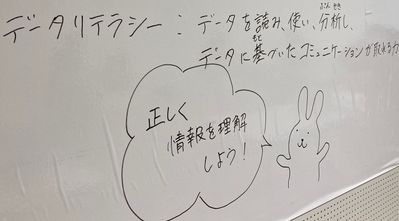
【開催レポート】親子向け「データリテラシー」ワークショップ
夏休み最後の日曜日、銀座伊東屋さんの会場に 3 年生から 6 年生の親子連れにお集まりいただきました。前半は、学研ホールディングス株式会社マーケティング戦略室シニアマネージャーで Qlik アドボケイトでもある横尾 聡様を「データ博士」としてお招きし、ご講演いただきました。データリテラシーの説明から... Show More夏休み最後の日曜日、銀座伊東屋さんの会場に 3 年生から 6 年生の親子連れにお集まりいただきました。
前半は、学研ホールディングス株式会社マーケティング戦略室シニアマネージャーで Qlik アドボケイトでもある横尾 聡様を「データ博士」としてお招きし、ご講演いただきました。データリテラシーの説明から、データ活用の流れ、「データを理解するための 5 つの武器」、コロナ感染に関する実際のデータの分析など、データ博士(横尾様)による、とてもわかりやすい講演に参加されたみなさんは熱心に聞き入っていました。
後半はそれぞれが学習のまとめを作るセッションとし、自信を持ってデータに基づいた行動や意思決定をするための基礎を身に付けるため、夏休みの自由研究課題としてポスター制作に取り組みました。Qlik Sense と実際のコロナ感染状況のデータを使って、自分の住んでいる地域はどうか?おばあちゃんの住んでいる地域は?など、さまざまな視点からデータ分析を実際に行い、発見したことをポスターとしてまとめました。
全体で 2 時間と時間も短かったため、完成まではいかなかったものの、会場である伊東屋さんからプレゼントされた画用紙とペン、そして自宅からでも Qlik Sense アプリへアクセスできるので、今頃はきっと素晴らしい自由研究を完成させていることでしょう。
データリテラシーに対する関心は高いようで、募集直後に予想以上のお申し込みいただき、実は多くの方をお断りせざるを得ませんでした。アンケートでも「おもったよりもたのしい」「子供向けに易しく説明いていただけました」「大人が勉強できました!」「親のリテラシーが上がったと思います」などお子さんにも親御さんにもご満足いただけた内容になったかと思います。
Qlik では今後もこのような取り組みを続け、データリテラシー向上に貢献していければと思います。
なお、今回の横尾様の講演内容をビジネスパーソン向けにアレンジして「達人に学ぶ本当にわかりやすいデータビジュアライゼーションの極意」として配信いたします。詳細はこちらをご覧ください。
-
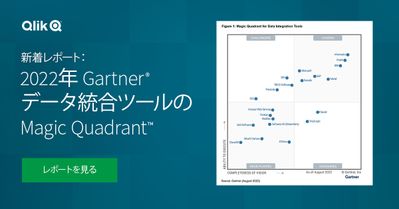
【新着レポート】 2022年 Gartner® データ統合ツールの Magic Quadrant™
Gartner® データ統合ツールの Magic Quadrant™ が公開され、Qlik は 7 年連続で評価されました。本レポートは、データ統合市場の全容とツールの簡単比較、各企業が Gartner® 社の定める「ビジョンの完全性」と「実行能力」の基準に、どの程度適合しているのかをご確認いただけ... Show More
Gartner® データ統合ツールの Magic Quadrant™ が公開され、Qlik は 7 年連続で評価されました。本レポートは、データ統合市場の全容とツールの簡単比較、各企業が Gartner® 社の定める「ビジョンの完全性」と「実行能力」の基準に、どの程度適合しているのかをご確認いただけます。データ統合市場の全容と Qlik の最新の取り組みについて、2022年のレポートをご確認ください。
- より迅速に有効なインサイトを得られるリアルタイムのデータ:
あらゆるシステムから最新のデータを継続的に提供 - データ提供の高速化:
データウェアハウスおよびデータレイクを自動化し、迅速なアクションにつながる分析に適したデータを提供 - 信頼できるエンタープライズ対応データ:
データの取り込みから公開まで、すべてのデータを正確かつ安全にカタログ化
- より迅速に有効なインサイトを得られるリアルタイムのデータ:
-
Don't miss the Exclusive 10% summer discount for public courses during August!
Take advantage of the best instructor-led training at the best price. We have a 10% discount on our public courses!Check the discounted courses & Book... Show MoreTake advantage of the best instructor-led training at the best price. We have a 10% discount on our public courses!
Check the discounted courses & Book a seat
Business Analyst and Data Architect
Data Architect
Qlik Sense Server
Advanced
Qlik Sense:
Create Visualizations with Qlik SenseQlik Sense:
Data Modeling for Qlik SenseQlik Sense / QlikView:
Advanced topics in Design and DevelopmentQlikView:
QlikView DesignerQlikView:
QlikView DeveloperHappy Learning!

-
Take Qlik Sense SaaS Training Anytime!
Qlik Education is excited to announce Create Visualizations with Qlik Sense SaaS and Data Modeling for Qlik Sense SaaS blended courses are now live. C... Show MoreQlik Education is excited to announce Create Visualizations with Qlik Sense SaaS and Data Modeling for Qlik Sense SaaS blended courses are now live. Course content access is immediate. No need to wait for an upcoming class schedule!
Create Visualizations with Qlik Sense Saas, a scenario-based course, addresses the fundamentals required to enable you for self-service visualization and discovery. The course combines demonstrations and hands-on exercises to teach the essential concepts for designing beautiful and effective Qlik Sense visualizations and guided stories. Additionally, you will look in depth at the different visualizations and select the appropriate one for your data and the type of questions you need to answer.
Data Modeling for Qlik Sense SaaS is a technical course for you to learn to develop a coherent data model in Qlik Sense by loading and transforming multiple data sources. With information, tools, techniques, and exercises, this course includes topics dealing with: maintaining data connections, transforming source data, architecting data models, optimizing for performance, and application development.
These blended learning courses include self-paced learning with theory and hands-on exercises as well as biweekly instructor-led, live webinars. Once enrolled in the course (within 48 hours of registration), access to the course content is immediate. You can watch the recorded sessions and attend a live instructor webinar to get answers to questions. You will have 12-month access to course materials and live instructor webinars from the enrollment date.
Register to the blended Courses via our Training Registration Page.
Happy Learning!
-
Key Insights from the Qlik Data Literacy Report
Within the next couple of months students will start returning to university to finish their final years of study. It is normally at this time that st... Show MoreWithin the next couple of months students will start returning to university to finish their final years of study. It is normally at this time that students start to consider what it is they might want from a career. As many university educators know, regardless of the industry students are considering, data skills will be vital for graduate success and employability. However, it can be difficult to engage students in taking on additional work to study and strengthen these skills. Our Qlik Academic Program can give them everything they need to become data literate, but it requires the students to be motivated enough to participate. Some of the key takeaways from our most recent Data Literacy report might help in convincing students that investing time now, will pay off for them later.
The below insights can demonstrate to students the expectations employers will have of them:
85% of executives believe data literacy will become as vital in the future as the ability to use a computer is today.
89% of C-level executives expect team members to explain how data has informed their decisions.
US workers who can demonstrate their data literacy skills can expect a 20% salary increase.
The below insights are useful for communicating to students the importance of being prepared and upskilling now, rather than later:
But only 11% of employees are fully confident in their ability to read, analyze, work with and communicate with data.
45% of global employees would change jobs if they felt they could get better preparation for the future workplace elsewhere.
35% of global employees left their jobs in the last 12 months to seek employers that value learning and preparation for the future workplace.
78% of global employees are spending time every month investing in their own personal development, an average of nearly seven hours on personal upskilling each month at an average cost of $2,800 over the last 12 months.
If you're interested in gaining access to free data literacy training and resources to use in your classes, follow this link to learn more and apply today: qlik.com/academicprogram
-
DAR methodology
Nobody likes to constantly reinvent the wheel. Completely starting from scratch on something you work on all of the time is a waste of time. People re... Show MoreNobody likes to constantly reinvent the wheel. Completely starting from scratch on something you work on all of the time is a waste of time. People reuse parts of old QVWs all the time to save the time & effort of redoing the same things over and over again.
The Dashboard, Analysis, Reporting (DAR) methodology is a foundation you can build all of your applications on while still having room to be creative and meet the varying requirements of individual clients / prospects.
In a nutshell you lead with a Dashboard page, followed by Analysis pages, and finish with Reporting pages. The Dashboard gives the high level overview of the business, the Analysis pages give interactive user-driven controls to filter the data, while the Reporting pages give the most granular details. The system works on a few levels but to understand some of why it works we have to discuss how people interact with computers and how we perceive information. The attached technical paper gives an introduction into Human Computer Interaction (HCI), about Top Down versus Bottom Up perception, and how all of this comes into play in QlikView.

-
Summer is winding down but Community Enhancements are full steam ahead!
Hello Qlik Community! Summer is winding down here in the States, but our Community enhancements are full steam ahead! We are prepping for some BIG cha... Show MoreHello Qlik Community!
Summer is winding down here in the States, but our Community enhancements are full steam ahead! We are prepping for some BIG changes coming up. (hint hint) Stay tuned!
Now, for our August enhancements:
New Partner Ranks
Our amazing Partners deserve to be recognized for all their Community contributions so we expanded the Partner ranks!
The ranks follow the same structure as for other Community members:
Partner - New Member
Partner - Newbie
Partner - Explorer (levels I, II)
Partner - Enthusiast (levels I, II, III)
Partner - Contributor (levels I, II, III)
Partner - Creator (levels I, II, III)
Partner - Specialist (levels I, II, III)
Partner - Master (levels I, II, III)
Partner - Champion (levels I, II, III)
Lumiaries and MVPs – you’re up next!
Orange Outage Notification
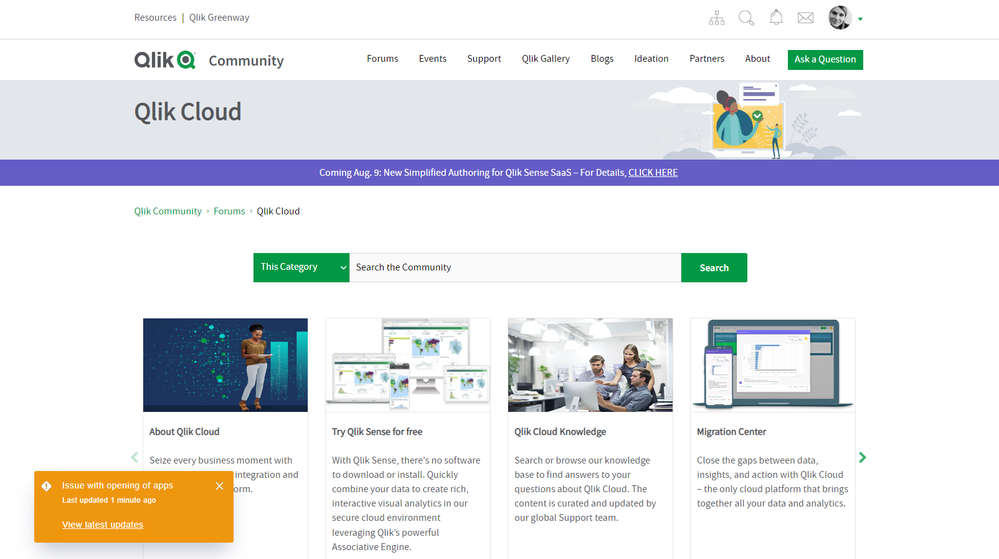
Previously, the orange outage notification was only on the Homepage. Now it will display on all on Qlik Community pages!
(Peep the new page that is coming very soon!)
New Badges
Calling all Qlik MVP and Partner Ambassadors! Check your profile for your new badge(s)!
Meet us at the Water Cooler!
We renamed the ‘Community Corner’ to ‘Water Cooler’! Don’t forget - we’re here to answer your Qlik Community questions. You will also see posts about the latest featured member (congratulations, @MayilVahanan !) and our newest video series: Suzy’s Tips.
Come chat with us and let’s get to know each other! We started an introduction post where you can meet some of our fur babies 😊 Comment and share your fur babies as well!
Next month we would typically be on a freeze, but as I said, we're full steam ahead! Check back next month for some BIG updates!
You Qlik Community team,
Melissa, Sue, Jamie, Nicole and Emma
@Melissa_Potvin @Sue_Macaluso @Jamie_Gregory @nicole_ulloa @emmaspickerman
-
KPI Color and Map Label Enhancements
In this blog post, I will discuss some of the color enhancements that have been added to the KPI chart and the Map chart in Qlik Sense SaaS. Both allo... Show MoreIn this blog post, I will discuss some of the color enhancements that have been added to the KPI chart and the Map chart in Qlik Sense SaaS. Both allow you to further customize the visualizations in an app. Let’s begin with the KPI chart. A KPI is a key performance indicator and is often used to highlight an important metric. In Qlik Sense SaaS, you can now change the background color of a KPI. In the past, KPIs always had a white background and users had the ability to change the color of the metric.
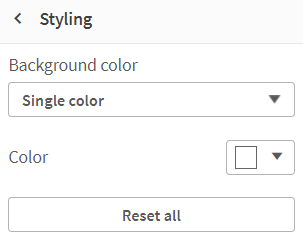
Now, users can also change the background color of the KPI. In the Presentation section of the Properties Panel, in Styling, the background color can be set. The background can be set to a single color, or an expression can be used to set the color. This is nice if you want to make the KPI stand out on the sheet based on a condition or an expression.
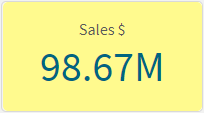
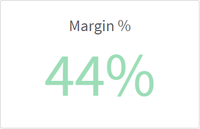
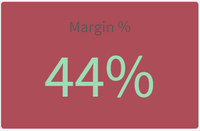
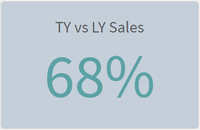
Here is what the KPI looks like with a background color.
Notice that the label of the KPI color cannot be changed so make sure you select a background color that does not hide the label. In the KPIs above, the label of the KPI on the right is easier to read than the one on the left. Also keep in mind that you have the option to hide the KPI label. I would recommend doing this only if the KPI metric being displayed is clear to the user without the label.
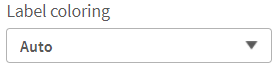
Another new color related feature added to Qlik Sense SaaS is the color of the labels used in a Map. Users can now change the label coloring to Light or Dark or they keep it set to Auto. This setting is found in the Presentation section of the Properties Panel. To use this feature, the map must be showing the labels.
When set to Auto, the labels will change depending on the base map being used. If the base map is darker, then a light label tends to be used and if the base map is lighter, a dark label color tends to be used. Users now have the option to set this regardless of the base map color. So depending on the map and the coloring you are using in the map; you may prefer a light label even if the background is light like in the map below. The key is to go with the option that is best read by the user. Usually that is this the option with the most contrast.
This is just a few of the visualization enhancements that have been made in Qlik Sense SaaS. Learn more about the KPI background color enhancements as well as other KPI improvements in Michael Tarallo’s SaaS in 60 video. You can check out the entire SaaS in 60 video series here to learn more about new product features.
Thanks,
Jennell
-
【オンデマンド配信】 クラウドデータファブリックに投資すべき 7 つの兆候
データ需要とデータの複雑性の高まりは、データ主導のイノベーションを制限する要因になっていますが、他にも要因があります。データリーダーは警告の兆候をを認識できないといったことです。 本 Web セミナーでは、データアーキテクチャの警告サインと、データ分析の成功に向けた競合要件を管理する方法について、... Show Moreデータ需要とデータの複雑性の高まりは、データ主導のイノベーションを制限する要因になっていますが、他にも要因があります。データリーダーは警告の兆候をを認識できないといったことです。
本 Web セミナーでは、データアーキテクチャの警告サインと、データ分析の成功に向けた競合要件を管理する方法について、ご説明します。
※ 参加費無料。パソコン・タブレット・スマートフォンで、どこからでもご視聴いただけます。日本語字幕付きでお届けします。
- データウェアハウスとデータレイクにおけるデータエンジニアリングの重要性の変化
- クラウド / IoT / 機械学習からの新たな要件に対応するデータファブリックアーキテクチャを設計する方法
- 分析データパイプラインを提供する包括的なエンドツーエンドのアプローチでイノベーションを推進する方法
- データウェアハウスとデータレイクにおけるデータエンジニアリングの重要性の変化
-
Qlik Digest - August 2022
What's New in Qlik Cloud:Simplified Authoring – Easier orientation for new users, and the ability to explore data and create visualizations at the sam... Show MoreWhat's New in Qlik Cloud:
- Simplified Authoring – Easier orientation for new users, and the ability to explore data and create visualizations at the same time – learn more
- Direct Query – On–demand push–down SQL for big data and near–real–time use cases – watch the demo
- Data Gateway Direct Access – Get seamless and secure access to on-premise data from Qlik Cloud – watch the demo
- Qlik AutoML – Coming soon! Easily use predictive analytics with powerful no-code automated machine learning, fully integrated into Qlik Cloud – learn more
Stay in the Know: To stay up to date on what’s new, bookmark qlik.com/roadmap for access to all product innovation resources, including our Product Innovation Blog. You can also subscribe to the RSS feed for our SaaS Change log.
- Qlik & Snowflake – Colleen Kapase, SVP of WW Partner & Alliances at Snowflake and Poornima Ramaswamy, EVP of Alliances at Qlik, sit down at Snowflake Summit 2022.
- Feeling the pressure to raise your Data Analytics and Data Literacy game? Our Applied Data Analytics Course may be the answer you're looking for.
- Profitable and sustainable – Discover how the United Nations and many more use Qlik to unlock their data for meaningful environmental action.
Subscribe to our Support Updates blog to receive important updates and new service releases.
Discover how to empower your organization to be more data-driven in Qlik’s new analytics webinar series, Moving Beyond the Dashboard.
Qlik Insider Webinar – Join us on August 24 to hear what’s new and upcoming across our data integration and analytics portfolio, and get your questions answered by Qlik experts.
What does it mean to be data brilliant? Listen to Qlik's Chief Learning Officer Kevin Hanegan as he discusses how soft skills and cognitive diversity can power a data literate organization.
Enabling communities to combat human trafficking with data
See how Engage Together created an application to shine a light on the strategies needed to expose human trafficking, using the power of data.Enjoyed this month’s edition? Subscribe for more news every month.
Connect with us on LinkedIn, Facebook, and Twitter. If you have any comments or feedback we would love to hear from you. Please contact lucy.bannister@qlik.com.
-
Check out MORE New Qlik Application Automation Features! Template Sharing, Conne...
Custom Templates The introduction of templates in December 2021 increased developer productivity and enabled more significant knowledge transfer becau... Show MoreCustom Templates
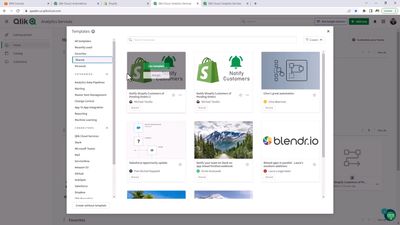
The introduction of templates in December 2021 increased developer productivity and enabled more significant knowledge transfer because you could start your project from a sample automation rather than from scratch. However, from the outset, many of you have requested the ability to create and distribute your own custom templates. Well, I'm happy to announce that now you can.
To create a template from your automation, right-click on the canvas and choose "Save as template" from the pop-up menu.
Then give your template a name, an optional thumbnail and description, and choose the appropriate sharing options from the visibility dropdown.
Your custom templates will then appear in the "Shared" or "Personal" template category.
We think sharing custom templates will vastly improve your collaboration in your development teams and enable you to establish your own best practices.
New Connectors
Your feedback has always heavily influenced our connectivity development roadmap and the crop of connectors we delivered this month is no exception. The new connectors are as follows:
- Oralce Eloqua
- Zenput
- Inpinity
Twitter
The Twitter connector and blocks enable programmatic access to the Twitter 2.0 API to help you tap into core elements of the Twitter-sphere. The blocks mainly focus on search and read access, although two blocks provide the ability to make raw Twitter API requests.
When combined with other connectors, many new automation use cases and possibilities emerge. For example, by combining Twitter with Expert.ai you can create a flow that automatically performs sentiment analysis on a Twitter stream query to guide your downstream decisions.
Note, the Twitter connector requires you to provide your API Key and Secret from your Twitter Developer account via the Twitter Developer Portal. Also, the connector conforms to the API limits defined by your Twitter access level. Please refer to the knowledge base article How to: Getting started with the Twitter connector in Qlik Application Automation for more details on how to use the Twitter connector.
Oracle Eloqua
Another customer request was for Oracle Eloqua. The Oracle Eloqua connector joins other best-in-class marketing automation platforms like Hubspot and Adobe Marketo Engage, already supported by Qlik Application Automation. The new connector allows you to automate your campaign and lead management tasks via Custom Object records. For example, you can make an automation to automatically assign accounts to different campaigns based on sales threshold values identified by a Qlik analytics app.
Read this knowledge base article for more information on how to get started with Oracle Eloqua and Qlik Application Automation.
Zenput
Several customers requested the new connector, and we're happy to roll it out this month. Zenput (a CrunchTime! company) provides a "back of house" solution to help restaurants, convenience stores, grocers, and other retail chains manage food safety and improve staff productivity.
The Zenput connector exposes four blocks that enable you to build and run data-driven staff management workflows. You can list tasks, get a task, create tasks, and update tasks. For example, a restaurant chain uses a Qlik analytics application to manage operational KPIs such as fire saftey training completion for each restaurant in the group. The KPI app can highlight which restaurants are not in compliance and can automatically launch a fire saftey check workflow to the managers of thiose specific restaurants.
Read the following article to learn more about Qlick Application Automation and Zenput to get started.
Inphinity
Last but by no means least is the Inphinty connector. Inphinity has been a long-time Qlik partner and provides a product called Inphinity Forms. Inphinity Forms help you efficiently enter, edit and update data from within Qlik Cloud analytics applications in a process known as "write-back." The new Inphinity Connector further extends this capability because you can now create automations that read and write form data as part of a downstream process, e.g. approval workflows.
To discover more information about working with Qlik Application and Inphinity Forms, read this knowledge base article here. And watch this webinar here for ideas about combining Inphinity and Qlik to drive data collaboration throughout your business.
Final word
This month's final phrase is "thank you" to all our customers who contributed ideas and feedback. You know who you are; we couldn't improve our solution without you. Remember, if you want to request a new connector, connector enhancement, general improvement, or new feature, please submit an ideation request here.
-
Qlik Named Leader - U.S. Business Intelligence and Analytics Platforms 2022 Ven...
Qlik was recently named a Leader in the IDC MarketScape: U.S. Business Intelligence and Analytics Platforms 2022 Vendor Assessment . What is MarketSc... Show MoreQlik was recently named a Leader in the IDC MarketScape: U.S. Business Intelligence and Analytics Platforms 2022 Vendor Assessment . What is MarketScape? IDC MarketScape is the IT industry’s premier vendor assessment tool, providing in-depth quantitative and qualitative technology market assessments.
The report shares “Business intelligence and analytics software is one of the most visible pieces of the technology stack that enables data-driven or data-informed decision making and greater enterprise intelligence. While data warehouses, data lakes, lake houses, and various data integration and data intelligence software form the foundation of an organization's data and analytics technology architecture, it is BIA software that data analysts, business analysts, and others in the organization interact with daily.”
Several of the reasons Qlik received its ranking are based on its end-to end platform, automation, data governance and sovereignty, and its extended Platform Value. For the full article visit
As someone who has been working with students and educators learning Qlik for more than 10 years, this report comes as no shock to me. For years we have seen interest from academia to learn Qlik because its such an important factor in the business world. It's amazing to hear their feedback. Don't take my word. Listen to what our members have to say. Paul De La Fuenta from Texas A&M was asked to describe his experience he answered " I love it! It was so great to use!" Or Educator Gabriel Olivares from Universidad Andrés Bello who explained that Qlik was "Very useful for the development of management control system classes, so students can learn by creating control panels and discovering the cause-effect relationships that exist between the data".
University educators and students can learn more and apply today, https://www.qlik.com/us/company/academic-program

-
New Insights for Qlik's Customer aT, Using Qlik Sense
The Korea Agro-Fisheries & Food Trade Corporation (aT) is a government organization that promotes the global trade, export, and marketing of Korean fo... Show MoreThe Korea Agro-Fisheries & Food Trade Corporation (aT) is a government organization that promotes the global trade, export, and marketing of Korean foods and beverages. Previously, aT’s users could only access fixed and standardized reports developed using complex processes such as step-by-step data processing and database design. Insights were often out of date, difficult to access, and lacked accuracy.
Utilizing Qlik’s data analysis and visualization features, aT has been able to develop a big data analysis platform driven by customer perspectives such as annual trading volumes and monthly price trends for specific agricultural products. aT can now quickly analyze data relating to products, prices, trading volumes and locations, and access insights in one place.
Key benefits for aT include increased consistency and accuracy of analysis, and significant savings in both costs and time, as data is updated quickly and easily. aT has recorded large increases in usage by both internal staff and general users following the deployment of Qlik, including a 36% rise in the number of users over the previous year.
Full Success Story https://rv.roinnovation.com/Qlik/x/Default.aspx?4159c073b1ad48bcbbda69036b4aff51
-
Qlik Partner Engineering Team releases Qlik Azure Cost Explorer
When we released this tool (https://community.qlik.com/t5/Qlik-Design-Blog/Qlik-Partner-Engineering-Team-releases-Qlik-AWS-Cost-Explorer/ba-p/1946393)... Show MoreWhen we released this tool (https://community.qlik.com/t5/Qlik-Design-Blog/Qlik-Partner-Engineering-Team-releases-Qlik-AWS-Cost-Explorer/ba-p/1946393) some weeks ago, some partners and customers came up with another request.
"Is this possible to have the same for Azure?"
That was a challenge that was accepted. I´ve spent some time learning from Microsoft documentation how to extract data from Azure (https://docs.microsoft.com/en-us/rest/api/billing/) and after some time was possible to connect Qlik Sense to the API and extract data using our REST connector.
The app is published in Partner Engineering Github (https://github.com/Qlik-PE/qlik-azure-cost-explorer) with instructions to download and configure.
This app is 100% pure Qlik Sense script, you have everything you need in your SaaS Tenant or Client Managed instance. No special drivers or connectors are required.
Please feel free to contribute and suggest any improvements
-
August 9th is almost here. Are you ready? - Qlik Sense Simplified Authoring to b...
The new Simplified Authoring will be available and enabled globally on August 9th in the Qlik Cloud Platform for Qlik Sense. This experience makes qui... Show MoreThe new Simplified Authoring will be available and enabled globally on August 9th in the Qlik Cloud Platform for Qlik Sense. This experience makes quickly creating layouts and visualizations even easier with a new all-in one interface.
It will provide the following benefits to new and existing Qlik Sense SaaS users:
- Expedited layout and chart creation
- Simplified filtering, providing easy access to frequently-used properties
- Faster access to data tables and fields
As previously mentioned, on July 5th we gave tenant admins the ability to “turn on” the Simplified Authoring for all their users, after admins have become familiar with the new capability. This will be followed by the Global activation of Simplified Authoring for all Qlik Sense SaaS tenants on August 9th.
Simplified Authoring Video Resources:

-
Qlik Management Console: Governance
Welcome back to our tour of the Qlik Management Console. As stated in my previous installment, we will begin going through the different sections of t... Show MoreWelcome back to our tour of the Qlik Management Console. As stated in my previous installment, we will begin going through the different sections of the Qlik Management Console with an in-depth view of the different options to help you get the most of your experience with Qlik SaaS. Today we will be looking at the Governance section.
First up in Governance is Users. This section will display information regarding, well, Users. Here you can see the names of everyone that has access to your Qlik account, the email addresses, user IDs, their status, roles and, if you have sent them an invite, when it will expire. In this section you can also send invites to accounts to join your tenant and edit their roles within the tenant. In the Permissions subsection, you can assign roles for those in your tenant.User allocation is second in this section. User allocation displays information tied to your tenant’s users. You’ll find breakdowns of each role on your tenant. User Allocation also displays how many users can be in a specific role and how many users that role has.
Spaces allows you to view the different spaces attached to your tenant. You can view the name of the space, the type of it, who owns the space, the description of the space, when it was created and if that space is tied to a Fort.
Alerts is a great feature within Qlik SaaS that allows a user to set up notifications for when a specified event is triggered. In the Qlik Management Console, you can view the different Alerts attached to your tenant. This section gives you all the information you could need about your Alerts; the name, the owner, when it was evaluated, triggered, which it’s going to be evaluated again, when the alert was created and if the Alert is enabled or not. Here you can also disable or delete Alerts and transfer the ownership of them to another user on the tenant.
With Subscriptions, subscribers receive charts and sheets through email according to a schedule set by the user. The Subscriptions option in the Qlik Management Console allows you to control the subscriptions on your tenant. In this section you can delete, disable, or enable a subscription.
In the Schedules selection, you’ll find the scheduled tasks connected to your tenant. These tasks are when apps would be reloaded. You’ll also find the name of the app, when the reload was last performed, and when it will occur next. You can delete a schedule here as well so that it no longer reloads an app.
Events displays a log of the events which have transpired on your tenant. You’ll find when the event happened, where it came from, what type of event it was, and which user was responsible for the event.
Thank you for taking the time to learn more about the Qlik Management Portal. Be sure to look for my next installment where we’ll be looking at the Content section. If you'd like further information on administering in QMC you can click here!
-
Nebula.js 2.0 is here!
Nebula.js Developers, version 2.0 is officially here!Hello Qlik Community. This is Dipankar from Qlik R&D and today I am going to introduce the latest... Show MoreNebula.js Developers, version 2.0 is officially here!
Hello Qlik Community.
This is Dipankar from Qlik R&D and today I am going to introduce the latest version of Nebula - version 2.0. Since the initial release of Nebula, the R&D team has been working on improving various capabilities within the library to help developers achieve more agility and robustness in terms of developing/embedding Qlik's visualization using Nebula. With the new version, we take this a step further.
What is Nebula 2.0?
Nebula 2.0 is a collection of the following items:
- updated chart packages
- Nebula CLI
- Nebula API features
- improved documentation
Let's talk about each of these items in some details.
Updated chart packages:
While nebula.js provides capabilities and APIs to build mashups and custom visualizations, it's primary purpose is often to display Qlik developed charts. These charts are available through npm under the @nebula.js scope. With the latest release, the focus is on streamlining the charts. Now, you can find an inventory of all the supported Nebula charts under the 'visualizations' library in qlik.dev -
An interesting addition to the charts is the 'Package and core build' part. With Nebula 2.0, when you have multiple charts, using the "core" build can significantly reduce the overall size of your bundle, thus reducing the amount of code that needs to be downloaded every time and executed. Here is an example link that shows how to achieve this - https://github.com/qlik-oss/nebula.js-examples/tree/main/examples/simple-setup . We believe this can be very beneficial from a performance perspective.
Nebula CLI:
Nebula 2.0 updates the robust Nebula CLI which is the main entry point for getting started with a nebula visualization, enabling a local development server, and building extensions and mashups. This version also streamlines the commands for usage. The four commands are listed below:
- nebula create - creates a new nebula visualization or mashup to get you started
- nebula serve - runs a nebula visualization with a local web development server
- nebula build - builds a nebula visualization bundle
- nebula sense - generates a nebula visualization to be used as an extension in Qlik Sense
Nebula API:
The Nebula API has some new functionality -
- useEmbed - this hook allows access to the Nebula instance inside a chart, to for example render a chart inside another or to use the field listbox.
- useKeyboard - this hook gets the desired keyboard settings & status to apply when rendering a visualization. Read more about this here.
You can also alter property definition for field-listbox now. See an example below that shows how to change sorting.
nebbie.field('[My Field]').then((s) =>
      s.mount(document.querySelector('.listbox'), {
        properties: {
          qListObjectDef: {
            qDef: {
              qSortCriterias: [
                {
                  qSortByState: 0,
                  qSortByAscii: 1,
                  qSortByNumeric: 1,
                  qSortByLoadOrder: 1,
                },
              ],
            },
          },
        },
      })
    );
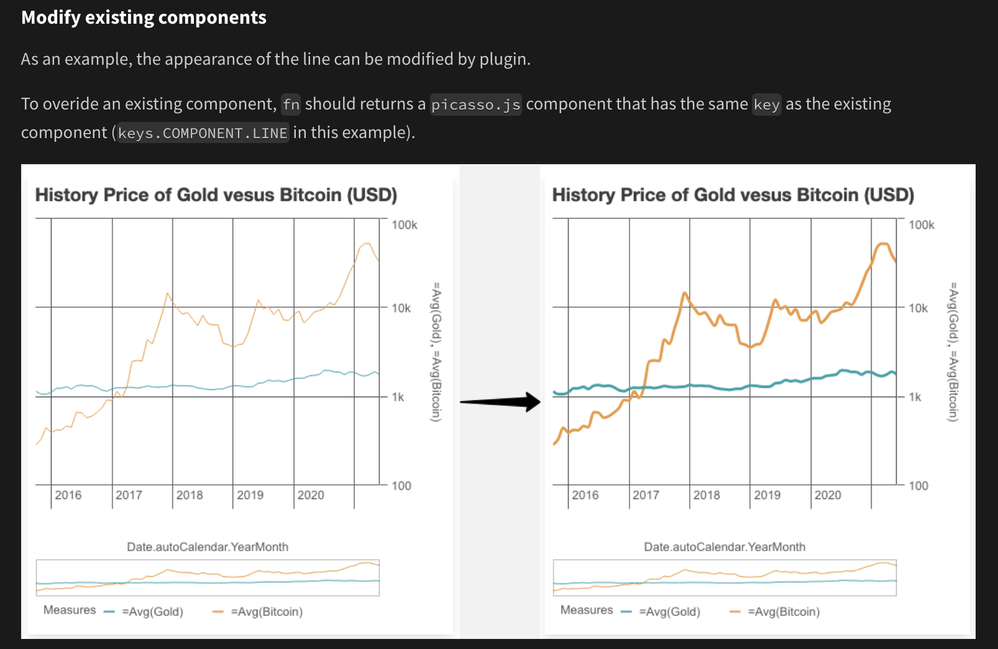
Apart from these, Nebula 2.0 also exposes class names for embedded charts that allows for basic theming capabilities.
div.njs-cell {
    background: maroon;
}

p.njs-cell-footer, h6.njs-cell-title, p.njs-cell-sub-title {
    color: white;
}

button.njs-cell-action {
    color: white;
}
Improved Documentation:
Overall, Nebula 2.0 solidifies the official documentation throughout the Qlik Developer site. I particularly like the Specifics section for each of the chart that serves as a guide in getting started with understanding & developing the Nebula-based visualizations. Be sure to check it out.
Hope this post helps you leverage all the amazing capabilities of Nebula 2.0!!
We will curate and share a Nebula 2.0 playlist in Glitch soon for our developer community, so keep an eye out.
~Dipankar
-
【オンデマンド配信】ぺんてる(株)× Qlik 対談:Qlik で社内設備の利用状況を可視化し、社内のデータ活用を推進
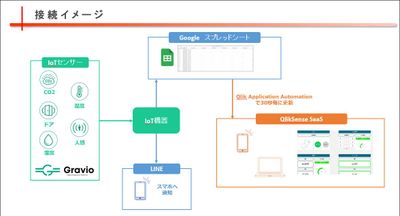
大手文具メーカーのぺんてる株式会社は、2022年に Qlik Sense を導入。Qlik で独自のアプリを作成し、IoT デバイスからリアルタイムのデータを取得して、社内設備の利用状況を可視化しています。また、Qlik Sense の社内勉強会を実施するなど、全社におけるデータ活用を推進しています... Show More大手文具メーカーのぺんてる株式会社は、2022年に Qlik Sense を導入。Qlik で独自のアプリを作成し、IoT デバイスからリアルタイムのデータを取得して、社内設備の利用状況を可視化しています。また、Qlik Sense の社内勉強会を実施するなど、全社におけるデータ活用を推進しています。本講演では、Qlik Sense アプリコンテスト「第 2 回 Qlik データソン」でリアルタイム分析賞を受賞したアプリをご紹介いただくほか、Qlik 営業担当者および技術担当者との対談にて、アプリ制作の裏側や今後の展望などを詳しくお話しいただきます。
※ 参加費無料。パソコン・タブレット・スマートフォンで、どこからでもご視聴いただけます。
-
Visit to the City of Pearls
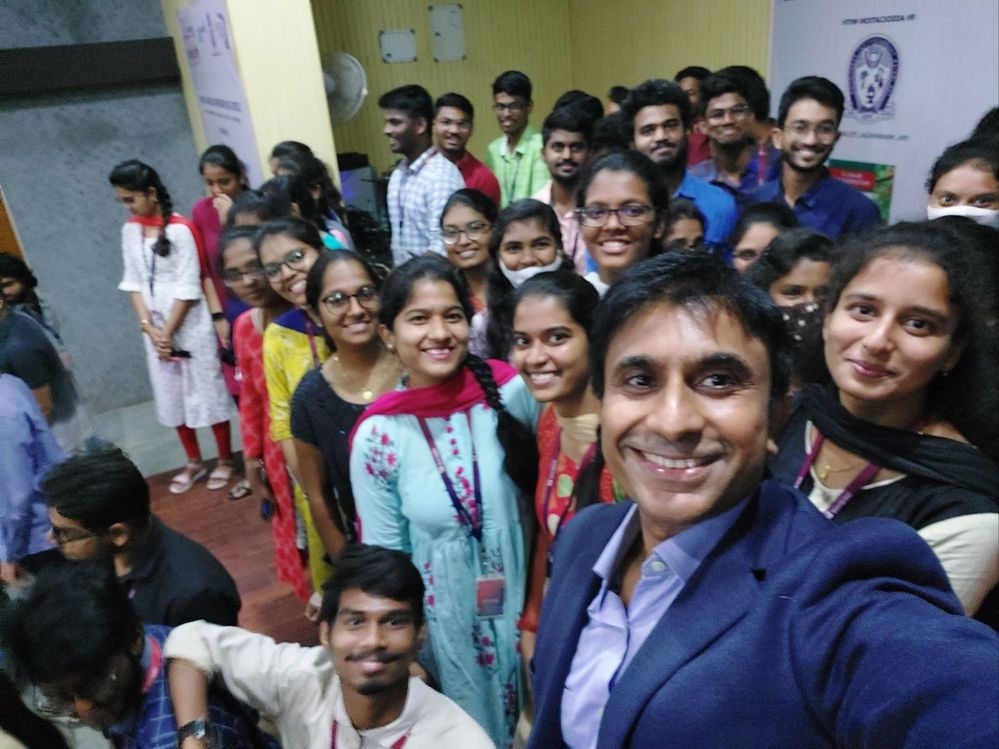
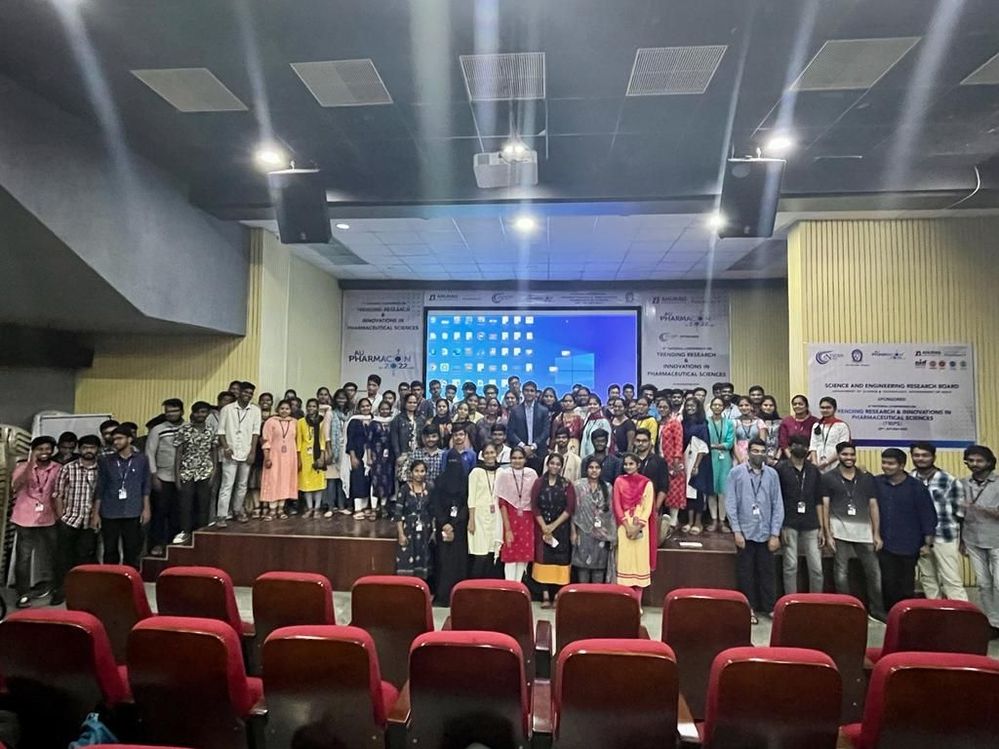
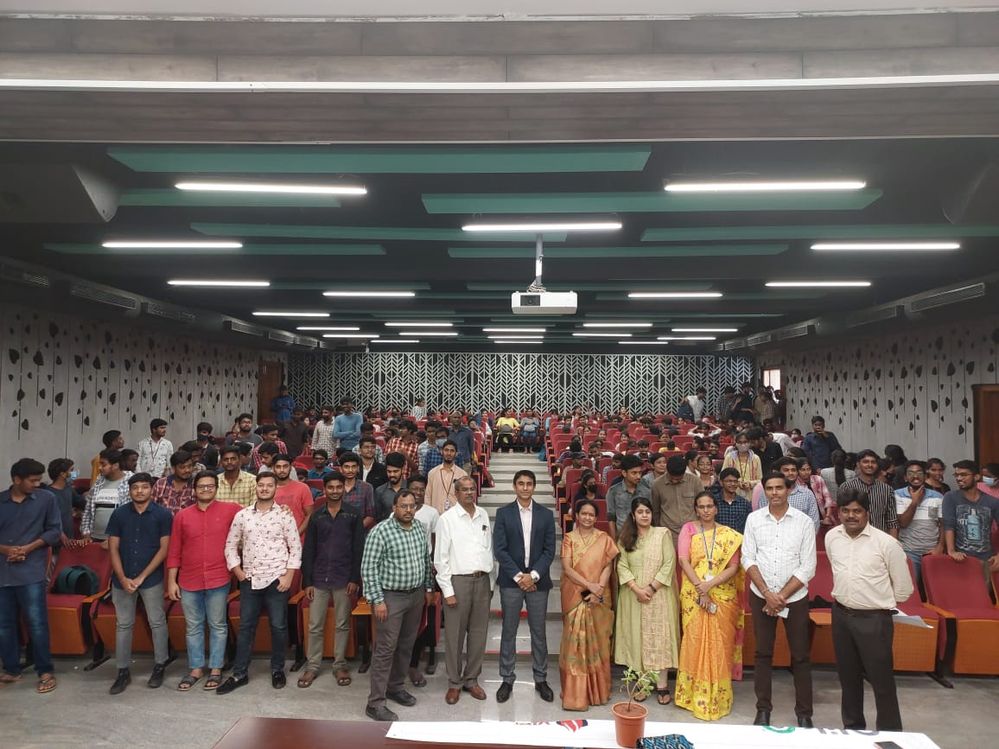
Last week, I had the opportunity to visit the city of pearls, Hyderabad in the State of Telangana, India. The occasion was to visit two Qlik Academic... Show MoreLast week, I had the opportunity to visit the city of pearls, Hyderabad in the State of Telangana, India. The occasion was to visit two Qlik Academic Partner institutions, Anurag University and Vidya Jyothi Institute of Technology ( VJIT).
But first, why is Hyderabad called the city of pearls? Reason is that this city had once flourished as a global center for trade of rare diamonds, emeralds as well as natural pearls. Hyderabad has been supplying the finest pearl jewelry to India and the rest of the world for nearly 400 years! Today, besides its glorious history, Hyderabad is also a hub for many global IT companies.
Anurag Group of Institutions organised a student interaction with their Engineering students and along with that an interaction with the educators including the Head of Department of Computer Science Engineering, Dr. Rawat. An audience of about 60 students and 10 educators listened with great attention on the Qlik Academic Program and Career in Data Analytics.
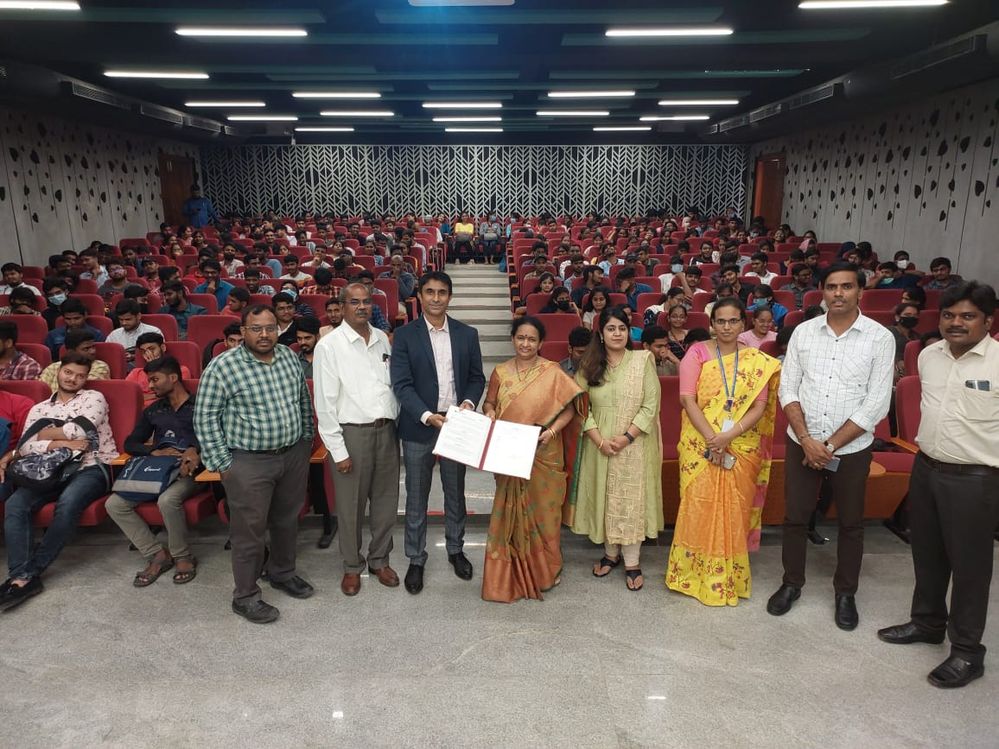
VJIT is another strong partner of the Qlik Academic Program with many firsts to its credit. The first Centre of Excellence powered by Qlik was set up here and they have been regularly engaging with us, with students showing interest in the academic program and getting qualified learning from the pathways of Business Analyst and Data Architect. During my interaction with students at VJIT, the track winners of the Datathon Challenge organised by us we were joined in by Sri Teja Makam and Vinay Kumar Kandula who are pursuing their MS in the US. They spoke about how the academic program has helped them in their career and their experience participating in the Datathon. Students were quite encouraged to hear their alma mater speak and how they are advancing in their careers. The MOU between VJIT and the Qlik Academic Program was renewed to extend this relationship for the next few years, formally.
-
クラウド版Qlik SenseにDirect Queryがリリースされました!
Direct Queryは、SQLプッシュダウンにより、ユーザーの操作に応じて直接クラウドデータベースからデータを参照する機能です。Direct Queryは、業界をリードするQlikの分析エンジンとは異なり、ソースに対してSQLクエリをオンザフライで生成し、データベースレベルでクエリと計算を実行し... Show MoreDirect Queryは、SQLプッシュダウンにより、ユーザーの操作に応じて直接クラウドデータベースからデータを参照する機能です。
Direct Queryは、業界をリードするQlikの分析エンジンとは異なり、ソースに対してSQLクエリをオンザフライで生成し、データベースレベルでクエリと計算を実行します。インメモリにデータを格納しないので、ビッグデータや、リアルタイムのユースケースに適用することができます。Qlikの強力な分析エンジンを補完し、データ分析の幅を拡張することができます。まずはSnowflakeに限定した機能ですが、ロードマップにはDatabricksなどその他のコネクタが予定されています。
Direct Queryの使用手順は次の通りです。
- データ接続を作成
- 新しいアプリを作成し、データ接続を指定
- データの取込画面をDirect Queryに切り替え
- Snowflakeのロール、DB、スキーマを選択
- テーブル、項目を選択
- 複数テーブルの場合は関係を定義
- シート上でビジュアライゼーションの作成
ユーザーがシート上で選択やフィルタリングを行う都度、データベースにクエリが発行されデータベース上で計算が行われます。
TECH TALKで詳しくご紹介しています。
動画:最新データにライブ接続!Qlik Cloud Direct Queryのご紹介
資料:TECHTALK_20220802 Direct Query.pdf
その他の情報(英語)Direct Query now available in Qlik Sense SaaS!
Part 1: Overview and Operation
Part 2: Building Hybrid Analytics Solutions with On Demand App Generation (ODAG)